What are Salesforce integration services?
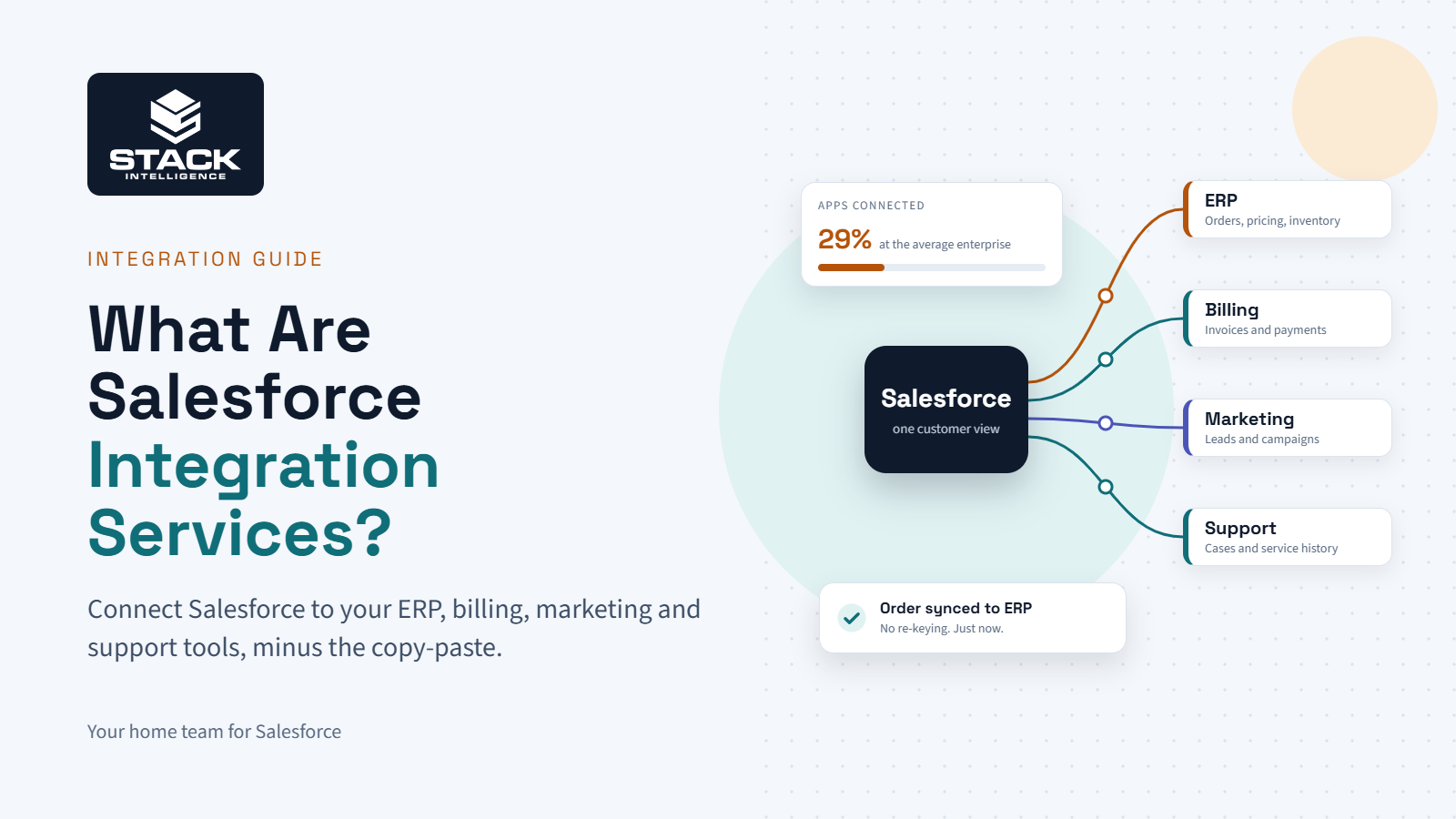
Salesforce integration services are the work of connecting Salesforce to the rest of your business software, so data flows between them without people copying it over by hand. That means your ERP, billing, marketing platform, web store, and support desk all see the same customer, the same order, and the same invoice status.
Most of the time, a partner handles it end to end. They figure out what data needs to move and where. They build the connections, test them against your real data (which is always messier than anyone admits), and keep an eye on them after go-live.
If that sounds abstract, here’s how it usually looks before integration. A rep closes a deal in Salesforce. Somebody in ops retypes the order into NetSuite. Finance checks it again at month-end because the totals never quite match. Three people touching one order, and two of them shouldn’t have to.
Why does connecting Salesforce matter so much?
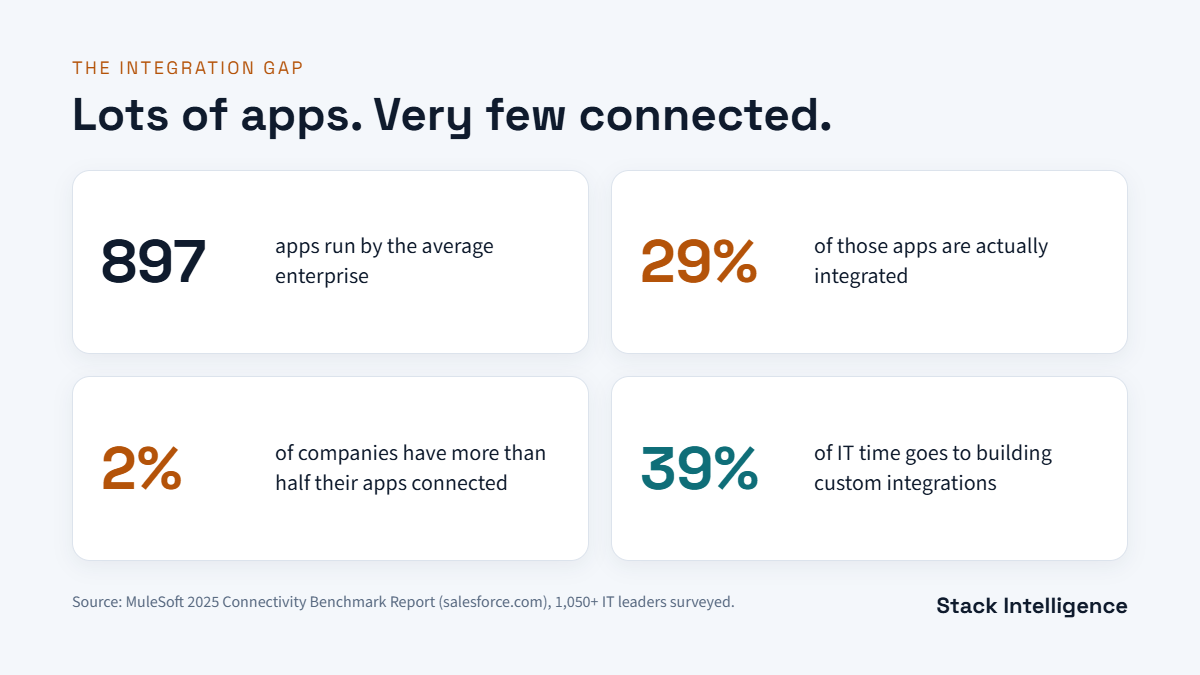
Because most companies have way more apps than connections. MuleSoft (it’s owned by Salesforce) surveyed over 1,050 IT leaders for its 2025 Connectivity Benchmark Report, and the numbers are pretty telling.
The average enterprise runs 897 applications. Only 29% of them are integrated. And just 2% of organizations have more than half their apps connected, which says a lot about how common the copy-paste problem really is.
It isn’t cheap either. 90% of organizations said data silos are creating business obstacles. IT teams spend 39% of their time building custom integrations. And 83% of respondents believe delays mean lost revenue.
On the flip side, APIs are already doing a lot of the heavy lifting. 99% of organizations in the same report use APIs to automate business processes, and 40% say a significant portion of their revenue now comes from them. So the tooling is there. Most companies just haven’t connected the dots yet.
When Salesforce is properly connected, the day-to-day stuff gets better fast:
- Reps see unpaid invoices and open cases before they call a customer.
- Finance stops re-entering closed deals.
- Marketing stops emailing people who already churned.
- Leadership gets one set of numbers instead of three.
And then there’s AI. The same report found 95% of organizations are struggling to fit AI into existing processes, with 80% pointing to data integration as the biggest hurdle. Agentforce can only act on data it can actually reach, so integration kind of comes first whether you like it or not.
How do you know you need Salesforce integration services?
Usually it’s not one big moment. It’s a bunch of small workarounds that everyone has just gotten used to. A few common ones:
- Someone exports orders from Salesforce every morning and keys them into the ERP.
- Sales has to ping finance to find out if a customer paid. Finance pings sales to ask what was sold.
- The marketing team is working off a list that’s a few weeks stale.
- The same customer has a different address in every system.
- Month-end reporting takes a full day because nothing ties out.
If two or more of these sound familiar, it’s probably time to look at Salesforce integration services. And sooner is better, because bad data doesn’t stay put; it spreads.
Which systems should you connect to Salesforce first?
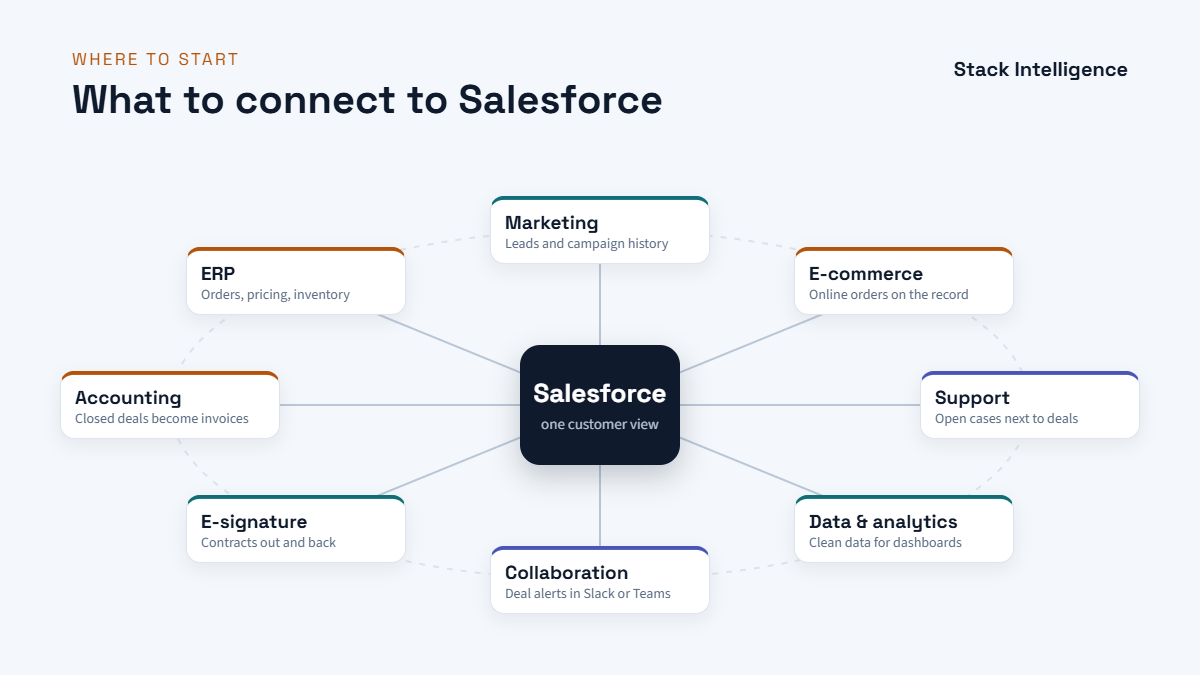
Start where the most retyping happens. For most teams, that’s the ERP, since that’s where orders, invoices, and inventory live, and where mistakes cost actual money.
Here’s the usual lineup, roughly in the order teams tend to tackle them:
- ERP (NetSuite, SAP, Microsoft Dynamics): accounts, products, price books, orders, and invoice status.
- Accounting (QuickBooks, Xero): closed deals become invoices without anyone retyping them.
- Marketing (Marketing Cloud, HubSpot): leads, campaign touches, and engagement history.
- E-commerce (Shopify, Commerce Cloud): online orders land right on the customer record.
- Support (Service Cloud, Zendesk): open cases show up next to sales activity.
- Data and analytics (Snowflake, Tableau, Data Cloud): clean data for dashboards and AI.
- Collaboration (Slack, Microsoft Teams): deal and case alerts go where people actually chat.
- E-signature (DocuSign): contracts go out and come back without leaving Salesforce.
One piece of advice: don’t try to connect all of these at once. Get one integration clean, documented, and stable. The second one goes a lot faster, because the data map, the error handling, and the integration user are already set up.
What does Salesforce integration look like day to day?
Here are four patterns that come up a lot, and how they actually run.
Quote to cash. An opportunity closes in Salesforce. A sales order gets created in the ERP, matched on an External ID so you don’t end up with duplicates. The invoice goes out from the ERP, and payment status flows back to the account in Salesforce. It’s a big one for manufacturers, and it pairs nicely with Agentforce Revenue Management.
E-commerce to service. A customer orders from your Shopify store on Sunday night and opens a support case Monday morning. The agent already sees what they bought, whether it shipped, and if they’re a repeat buyer. Retail and consumer brands usually notice this one first.
Marketing to sales. A prospect downloads a guide and gets scored in the marketing platform. Once they cross the threshold, they’re created in Salesforce with their campaign history attached. The rep picks up the phone already knowing what the prospect cared about.
Data to decisions. Sales, service, and finance data all land in one place, Snowflake or Salesforce Data Cloud, for example. Dashboards refresh on their own, and AI tools get the full picture of the customer instead of one department’s slice.
What types of Salesforce integration are there?
People label these differently, but here’s how we usually break them down:
- Data integration: records stay in sync across systems, like accounts flowing from Salesforce to the ERP.
- Process integration: an event in one system kicks off work in another. A Closed Won deal creates an invoice, for example.
- UI integration: data from another system shows up right on a Salesforce page, so users don’t flip between tabs.
- Batch integration: large volumes move on a schedule, usually overnight.
- Real-time integration: changes move the moment they happen, usually through events.
Direction matters too. Salesforce’s architecture guidance splits integrations into inbound, outbound, and cross-org. It also separates copying data into Salesforce from just displaying it where it already lives, which is called virtualization. Honestly, virtualization doesn’t get used enough. It keeps your storage down and avoids a whole class of sync headaches.
What are the main Salesforce integration methods?
There’s no one right answer here. It depends on how much data you’re moving, how fresh it needs to be, how many systems are involved, and who’s going to maintain it after launch.
Salesforce APIs
Salesforce has a few APIs, and each one is built for a different job. REST is the go-to for web and mobile apps. SOAP is stricter and still shows up a lot with older enterprise systems. Bulk API is what you use when you’re moving hundreds of thousands of records, like during a migration. Pub/Sub API streams events in real time, and GraphQL lets you pull just the fields you need in one call.
MuleSoft
MuleSoft is Salesforce’s own integration platform. Instead of wiring every system directly to every other system, each one connects to MuleSoft once, and you build reusable APIs on top. It starts paying for itself once you’ve got three or four systems in play, or know more are coming.
Native Salesforce tools
You can get pretty far without code. Salesforce Connect shows outside data without copying it in. Change Data Capture publishes record changes as they happen. External Services lets admins call external APIs right from Flow, and Named Credentials keep login details out of your configuration.
AppExchange connectors
Most popular apps already have a prebuilt connector on the AppExchange. They’re quick to set up and fine for standard use cases. The catch is you get less control over field mapping and error handling, which starts to hurt once your process has exceptions.
Custom Apex
When nothing else fits, a developer builds it in Apex. You get full flexibility, but you also own the code, the test coverage, and every fix after that.
How do you pick the right integration method?
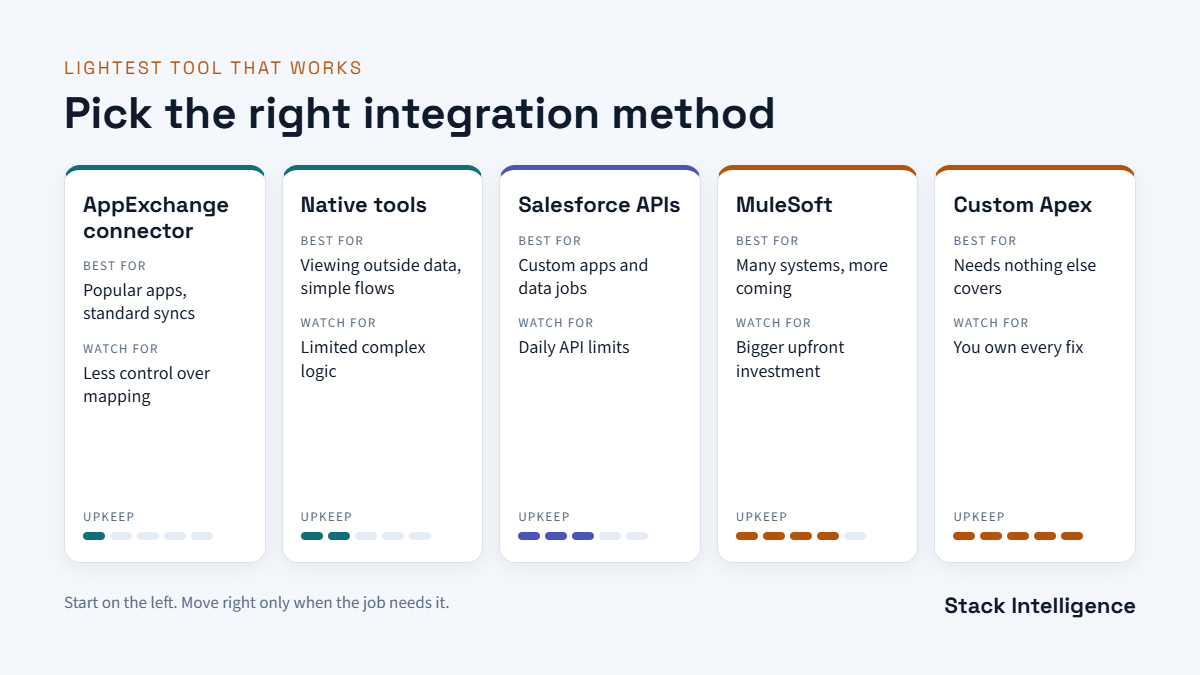
A quick way to think about it:
- Popular app with a standard sync? Try an AppExchange connector first.
- Only need to view outside data? Look at Salesforce Connect before copying anything.
- Custom app or a specific data job? The Salesforce APIs are usually the answer.
- Lots of systems, more on the way? That’s where MuleSoft earns its cost.
- Something nothing else handles? Custom Apex, with a plan for maintaining it.
Our rule at Stack is pretty simple: go with the lightest option that’ll still hold up two or three years from now.
How does a Salesforce integration project actually work?
Most projects follow the same playbook:
- Discovery: list every system, who owns it, and every place someone moves data by hand.
- Data mapping: decide which fields move, how often, and which system wins when they disagree.
- Architecture: pick the method for each connection and set up a dedicated integration user.
- Build: always in a sandbox first, never straight into production.
- Testing: use realistic data, including duplicates, blanks, and big volumes.
- Go-live: roll it out in phases, with a rollback plan written down.
- Monitoring: track failed syncs, sync times, and API usage from day one.
- Ongoing care: retest after every Salesforce release, in-house or with a managed services team.
Steps 2 and 7 are the ones that get squeezed when deadlines get tight. They’re also the two that decide whether the integration still works a year later.
What usually goes wrong with Salesforce integrations?
Data quality, almost always. Duplicates and incomplete records sync just as fast as clean ones. So clean up first, and a Salesforce health check is a quick way to see how much work that is.
Then ownership. If nobody decides which system owns the billing address, the two systems will just keep overwriting each other. That call needs to be made in the data map, not discovered in production.
API limits catch a lot of teams off guard. Every Salesforce org has a daily allocation of API calls, and a badly designed sync can burn through it by lunch. High-volume work should use the Bulk API or event-based patterns instead.
Permissions are sneaky. If the integration user can’t see a field, updates to that field can fail quietly, and nobody notices until a report looks off. Picklist values that don’t match between systems, or currency and time zone differences, cause the same kind of silent errors.
Long-term, point-to-point sprawl is the big risk. Every direct connection adds maintenance, and after a few years nobody wants to touch any of them. That’s a big part of why hubs like MuleSoft exist.
Last thing: Salesforce ships three major releases a year. Most integrations come through fine, but each release is a good reason to rerun your tests.
What affects the cost of Salesforce integration services?
There’s no fixed price, because the scope varies so much. The main things that move it:
- How many systems you’re connecting.
- One-way or two-way sync.
- Real-time or scheduled.
- How much data there is, and how clean it is.
- Prebuilt connector or custom build.
- Whether MuleSoft or other middleware is involved.
- Compliance, security, and testing requirements.
- Support and monitoring after launch.
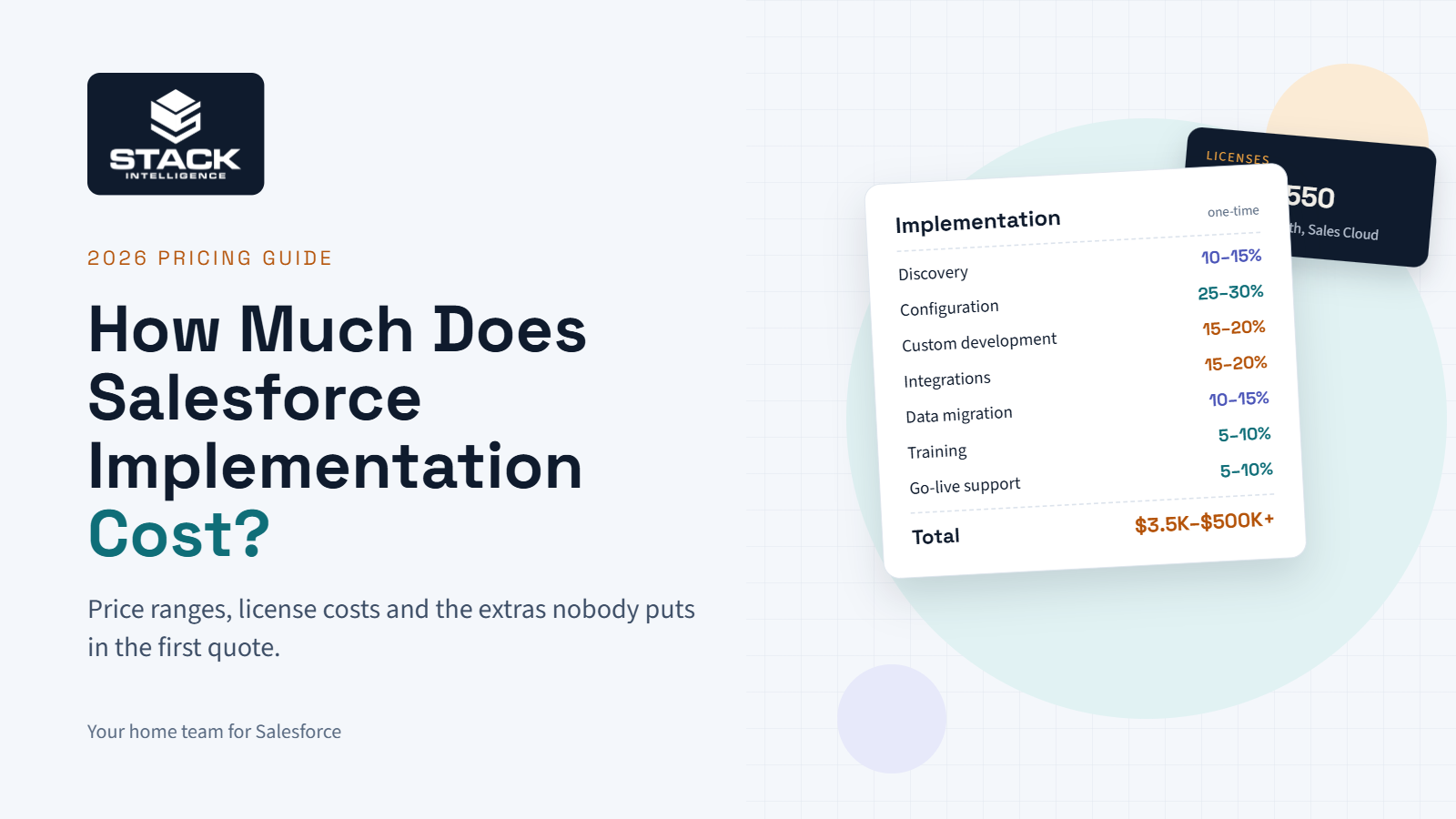
To give you a sense of scale, a one-way connector for a single app is a small project. A real-time, two-way integration between Salesforce, an ERP, and a data warehouse is a much bigger one. Our Salesforce implementation cost guide goes deeper into budgeting.
Should you build integrations in-house or hire a partner?
For one simple connector, your admin can probably handle it.
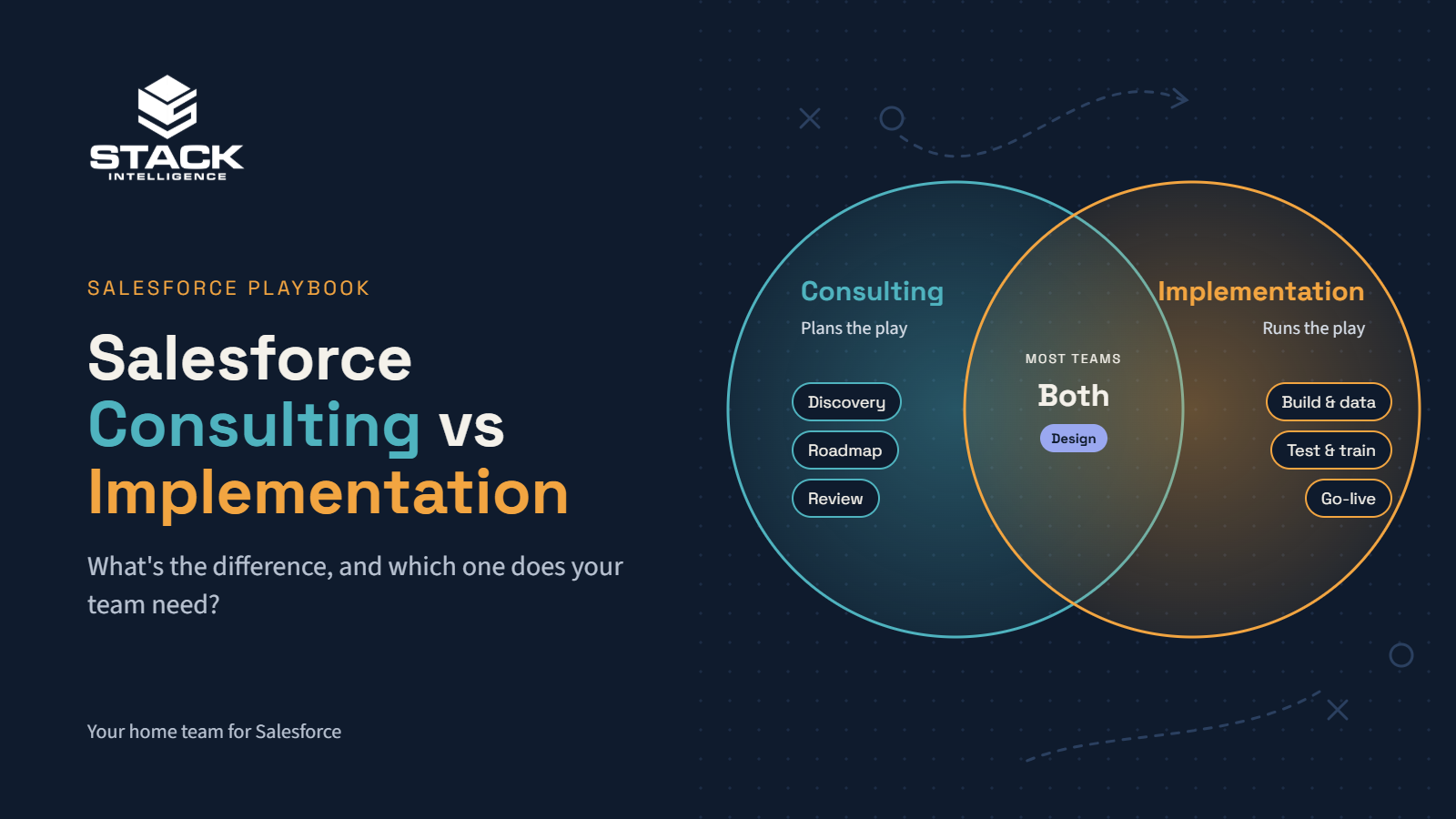
But once an ERP is involved, or you need two-way syncs, high volumes, or sensitive data, a partner usually pays for themselves, mostly by avoiding the mistakes that only show up months after go-live. Still deciding between advice and a full build? Our post on Salesforce consulting vs. implementation breaks down the difference.
How do you choose a Salesforce integration partner?
A few questions tell you a lot:
- Have you connected Salesforce to systems like ours? What went wrong?
- How do you decide between a connector, MuleSoft, and custom code?
- Can we see a sample data map?
- What happens when a sync fails? Who gets alerted?
- What monitoring do we get after go-live?
- How do you handle Salesforce’s three yearly releases?
- Who owns the documentation when you’re done?
If a firm pitches a custom build before asking a single question about your data, that’s a red flag. For the full checklist, see our guide on how to choose a Salesforce implementation partner.
How does Stack handle Salesforce integration services?
Stack Intelligence is a Salesforce team based in Beachwood, Ohio. We’re hometown friends who’ve been running plays together since Little League, and these days we run them across Salesforce, Shopify, and everything connected to them.
Every integration we do starts with the data map, because most integration problems are really just disagreements about data. From there, we pick the lightest tool that’ll hold up, whether that’s a connector, a native feature, an API, or MuleSoft. Monitoring and alerts go in from day one. Documentation is in plain English, so your team actually understands its own setup. And we stick around after launch to retest as Salesforce rolls out releases.
The scoreboard isn’t hours billed. It’s fewer spreadsheets, fewer re-keyed orders, and reports your leadership actually trusts. You can see some of that in our case studies.
Book a 25-minute working session. Bring a list of the systems you’re juggling, and we’ll help you figure out where to start.
Keep exploring
Want your systems working as one team? See our Salesforce integration services and Salesforce implementation services.
Planning something bigger? Start with how to choose a Salesforce implementation partner, then read Salesforce consulting vs implementation and our Salesforce implementation cost guide.
Not sure where to begin? Book a working session, and we’ll map it out together.
We share Salesforce tips and client wins on LinkedIn.