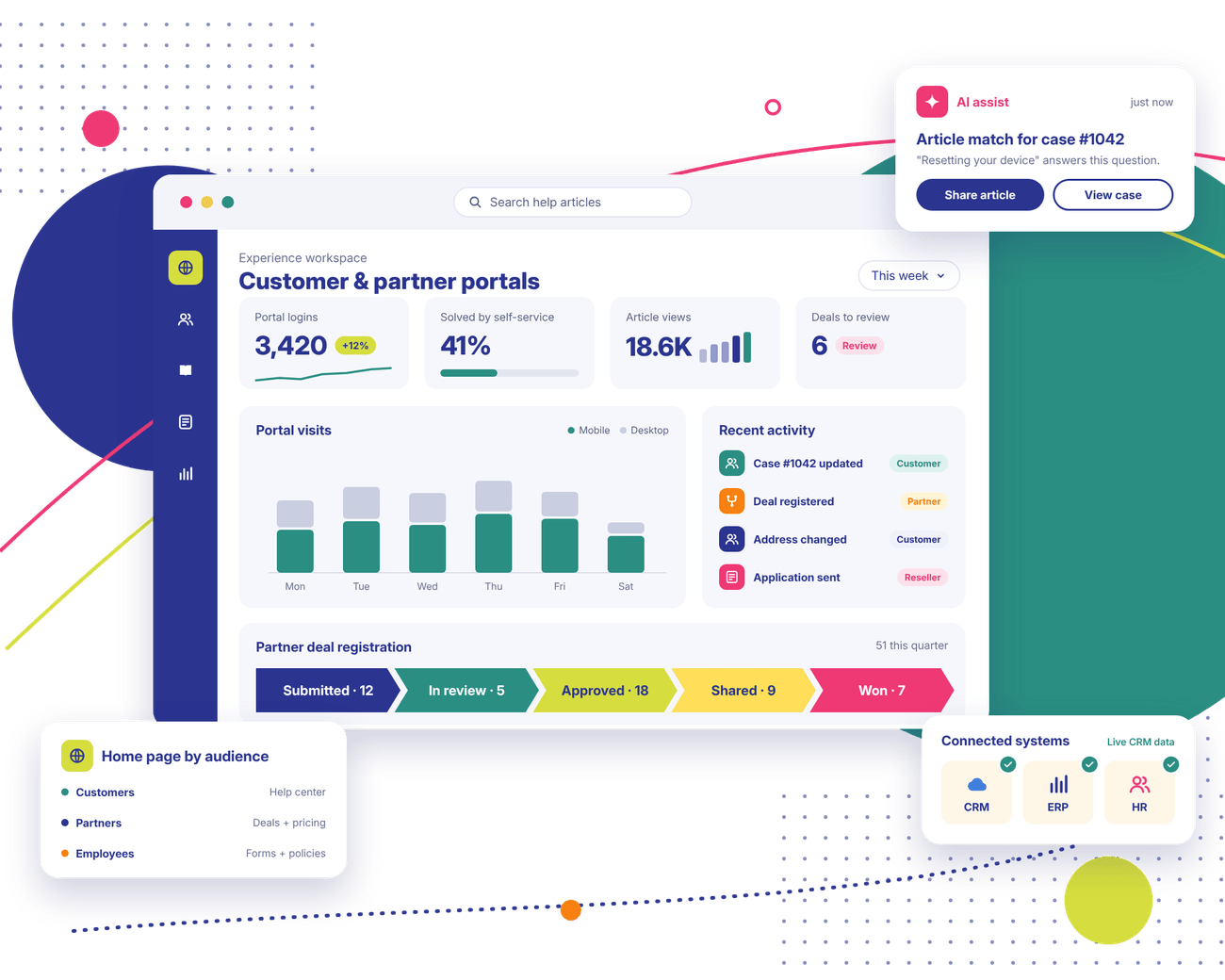
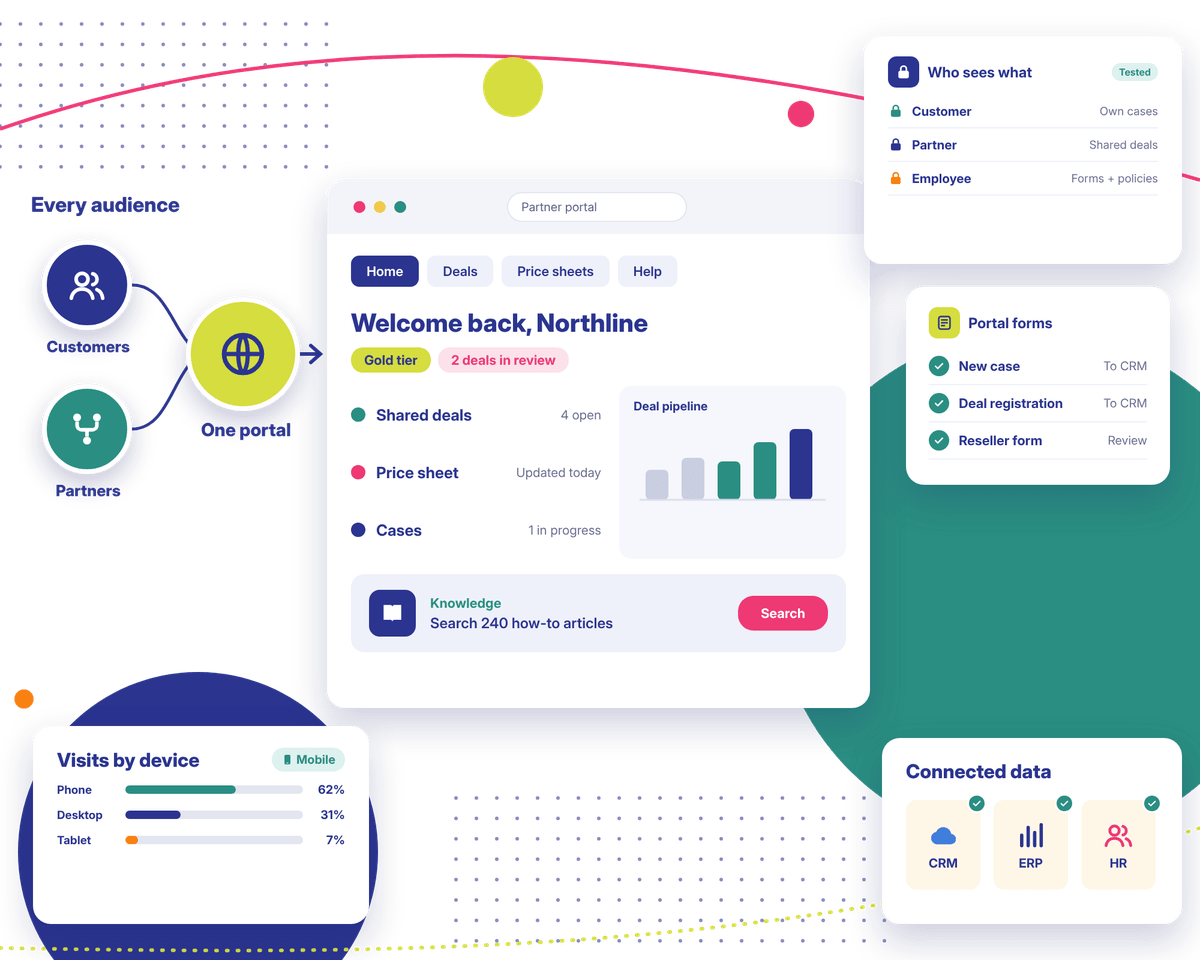
Customers want case updates at any hour. Partners need current pricing before a deal call. With a Salesforce Experience Cloud portal, they log in and find it in your CRM on their own. Our Salesforce Experience Cloud consulting and implementation work covers the build. Support after go-live is part of it, too.
Trusted by Enterprise Teams as a Salesforce Consulting Partner
Logos of Texas Instruments, American Express, Fiserv, Autodesk, Target, Honeywell, Dell and Delta Air Lines have worked with Stack Intelligence on Salesforce.
Salesforce Experience Cloud Challenges We Help Businesses Solve
When people call us about Experience Cloud Salesforce projects, one of these is usually behind it.
Customers Cannot Find Answers Without Contacting Support
Customers Cannot Find Answers Without Contacting Support
A customer wants an order update over lunch. There's no place to look, so they call. Then they email too, in case the call got lost. That's a big chunk of your support team's day gone on stuff a portal could've handled.
Partner Collaboration Depends on Emails and Spreadsheets
Partner Collaboration Depends on Emails and Spreadsheets
One reseller wants the current price list. Another emails over a deal as an Excel file. Someone on your end retypes every line into Salesforce. Half the time, a partner is working from last quarter's sales deck because nobody sent the update.
Digital Experiences Are Disconnected From CRM Data
Digital Experiences Are Disconnected From CRM Data
Your website says one thing. Salesforce says another. So a customer sees their old address. A case they closed last month still shows as open. Somebody on your team fixes these by hand. Every week, it seems.
Every Audience Needs a Different Digital Experience
Every Audience Needs a Different Digital Experience
Customers want to open a case. A distributor wants to register a deal. Your own staff need a place for HR forms. Each one needs different pages and permissions. A single shared portal usually struggles there.
Existing Portals Are Difficult to Maintain or Expand
Existing Portals Are Difficult to Maintain or Expand
Your portal went live a few years back. Since then it's had custom code added, plus a section another team tacked on. These days, even changing a button means calling a developer.
Portal Adoption Is Lower Than Expected
Portal Adoption Is Lower Than Expected
Launch day came and went. A few people logged in once. The menus made no sense to them, so they went back to calling.
Salesforce Experience Cloud Features That Create Better Digital Experiences
Your Salesforce Experience Cloud site and your CRM share one database. When someone logs in, they're looking at today's records. What you can use comes down to licenses and setup.
01
Customer Self-Service Portals
A customer logs in and sees whether their case moved. Got a new address? They change it themselves. How-to articles are a search away. A branded portal won't replace your support team. It does take a lot of the routine questions off their plate.
02
Partner Portals and Collaboration
Resellers get one spot for price sheets and marketing files. Deal registration lives there, too. Shared opportunities show up for partners to track. You decide how much each partner tier sees.
03
Employee and Internal Experiences
Field staff might use an Experience Cloud hub to grab forms or check a policy from the road. That kind of focused use works well. It plugs into your HR system and intranet as well.
04
Personalized and Branded Digital Experiences
Your brand look gets built in Experience Builder, with Lightning components where needed. Menus and content can change by audience. A distributor in Texas and a shopper in Ohio could land on two different home pages.
05
CRM-Connected Data and Record Access
A logged-in customer might see their account and open cases. Nothing beyond that. Partners might see shared deals. Salesforce sharing rules decide who sees what. We test them so one customer never lands on another's records.
06
Knowledge Management and Self-Service Content
Got a library of Salesforce Knowledge articles? We make them searchable in the portal, along with your FAQs. Who keeps them current? We name an owner for each section before launch, since outdated articles cause their own support calls.
07
Forms, Workflows and Digital Transactions
Think new cases, deal registrations or reseller applications. Portal forms take care of those. Each submission lands in Salesforce on its own. A few need extra licenses. We'll point those out before you buy anything.
08
Mobile-Friendly and Scalable Experiences
Expect plenty of visitors on phones. The setup should also hold up as more users sign up. We plan for the traffic and growth you actually expect.
Salesforce Experience Cloud Services Tailored to Your Business
Our Salesforce Experience Cloud services run from that first planning call through support after launch. Need only part of it? Our Salesforce Experience Cloud implementation services can also be booked on their own.
01 · Consulting
Salesforce Experience Cloud Consulting
Our Salesforce Experience Cloud consulting starts by asking who's logging in and why. We check your data and access needs next. From there, we hand you a roadmap in phases, starting with what pays off soonest.
Customer and partner portals get built to the plan we agreed on. That covers page structure, user access, and the Salesforce data each audience needs. Everything gets tested before launch.
We design layouts and navigation people can follow without a manual. Branding comes along, too. Custom components only come in when standard tools can't do the job.
04 · Integration
Salesforce Experience Cloud Integration
We hook your portal up to Salesforce and to outside tools like your ERP. Every data flow gets mapped and tested. Some systems lack a ready-made connector. You'll hear about those in planning.
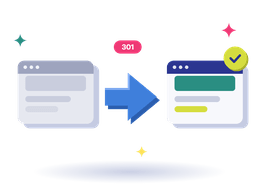
Moving off an old portal? We map users, content, and permissions, and plan URL redirects. Some custom features will need rebuilding, so we flag those before anything moves.
06 · Managed services
Experience Cloud Optimization and Managed Services
Already live, but people don't log in? Usage data and user feedback show us what's in the way, and we fix it. Once you're live, our team takes care of access changes and new features.
Selling custom glass doors online isn't like selling off-the-shelf parts. Element Designs needed a store that could handle every detail its sales team handles today.
What we did
Stack Intelligence launched a B2B storefront on Salesforce Commerce Cloud with Cyncly's 3CAD configurator built right into the product page.
Result
Now its trade buyers can design one, price it, pay for it, and ship it, all without leaving the site.
WVA's engagements are project-based and rarely stand still. A client signs for one scope, then adds services, filing fees come up as the work moves through city agencies, and retainers get billed up front.
What we did
Stack Intelligence set up Sales Cloud, Revenue Cloud Advanced, and Revenue Cloud Billing as one connected flow, from the first opportunity to the final payment.
Result
Now every proposal, invoice, and payment lives in one place, and the books stay in sync with QuickBooks Online.
WVA's engagements are project-based and rarely stand still. A client signs for one scope, then adds services, filing fees come up as the work moves through city agencies, and retainers get billed up front.
What we did
Stack Intelligence set up Sales Cloud, Revenue Cloud Advanced, and Revenue Cloud Billing as one connected flow, from the first opportunity to the final payment.
Result
Now every proposal, invoice, and payment lives in one place, and the books stay in sync with QuickBooks Online.
Selling custom glass doors online isn't like selling off-the-shelf parts. Element Designs needed a store that could handle every detail its sales team handles today.
What we did
Stack Intelligence launched a B2B storefront on Salesforce Commerce Cloud with Cyncly's 3CAD configurator built right into the product page.
Result
Now its trade buyers can design one, price it, pay for it, and ship it, all without leaving the site.
Clients rate Stack Intelligence 5/5 on Salesforce AppExchange, and these four quotes came in after their projects wrapped.
"Stack is a great partner. We have an extremely tight timeline to implement a very complex commerce site, and they were able to pull it off."
Vince TanDirector of IT, Ascensus Specialties
"Excellent job end to end (SOW to product launch). They took the time to understand our business and needs. We consider them partners and plan on using Stack Intelligence for future projects."
Dan MeloreEVP Marketing & Operations, Health Evolution
"We engaged Stack Intelligence to build a Salesforce Commerce Cloud medication order site for our patients. They were able to scope out all of our needs and deliver the project on time, even when some of our requirements changed. Post-launch support has been excellent as they always respond quickly when issues arise."
Marketing DirectorHealth & Life Sciences
"Stack Intelligence was always a consistent, knowledgeable partner that made sure all of our needs were met throughout the entire project. The people were very easy to work with."
Manufacturing ExecutiveManufacturing
"Stack is a great partner. We have an extremely tight timeline to implement a very complex commerce site, and they were able to pull it off."
Vince TanDirector of IT, Ascensus Specialties
"Excellent job end to end (SOW to product launch). They took the time to understand our business and needs. We consider them partners and plan on using Stack Intelligence for future projects."
Dan MeloreEVP Marketing & Operations, Health Evolution
"We engaged Stack Intelligence to build a Salesforce Commerce Cloud medication order site for our patients. They were able to scope out all of our needs and deliver the project on time, even when some of our requirements changed. Post-launch support has been excellent as they always respond quickly when issues arise."
Marketing DirectorHealth & Life Sciences
"Stack Intelligence was always a consistent, knowledgeable partner that made sure all of our needs were met throughout the entire project. The people were very easy to work with."
Looking for a Salesforce Experience Cloud Implementation Partner?
Comparing a few Salesforce Experience Cloud implementation partners? Bring your audiences and your current Salesforce setup to a call. We'll show you how we'd approach it.
Connect Salesforce Experience Cloud With Your Business Systems
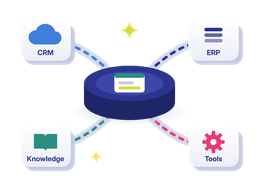
Without good data behind it, a portal is just a nice login page. Here's what we usually connect. How we do it depends on your systems and permissions.
The right people can see accounts, cases, and opportunities right in the portal. A customer sees their own account. A partner sees the deals they share with you, and nothing more.
Cases logged in the portal go straight into Service Cloud queues. Agents work them the same way as phone or email cases. Meanwhile, customers can track status or check Knowledge articles.
Deal registrations from the partner portal become opportunities in Sales Cloud. Your channel team sees what partners are working on. Partners see updates without waiting for an email.
Want customers to see past orders or reorder? The portal can pull that from Commerce Cloud or your order system. We only add it when your project calls for it.
Inventory and invoices tend to live in your ERP. Shipping info, too. We pull it into the portal with APIs or MuleSoft. A few links update instantly. Others sync on a schedule.
Help articles and product docs can flow in from Salesforce CMS or a similar tool. Marketing content comes in the same way. Customers then see the same answers on your site and in the portal.
Our Salesforce Experience Cloud Implementation Process
We run every Salesforce Experience Cloud implementation in six steps. Timing depends on who logs in and what we connect, plus any custom work. Once that's clear, we commit to dates.
Define the Purpose and Audience
Step one is figuring out who logs in, and why. Filing a case and registering a deal are very different jobs. We write it up in a short brief for your sign-off.
Map User Journeys and Requirements
We follow each type of user through the site, page by page. What do they see first? What can they edit? We write down access rules and content needs as we go.
Design the Experience and Architecture
Wireframes for layouts and menus come first, with your branding applied. Data access and integrations get worked out alongside. Nothing gets built till your team says yes.
Configure and Build the Site
We build pages and permissions in stages, then workflows. Custom components come in only where needed. Along the way we show you short demos. Your team catches issues early that way.
Integrate, Test and Validate
We connect outside systems and test every flow. Can a partner see another partner's deals? We check things like that. We also test forms and phone layouts with real scenarios.
Launch, Enable Users and Improve
We launch on an agreed plan and train your admins. Then we check login numbers and look for spots where people get stuck. Together, we pick the next fixes.
Why Choose Stack Intelligence for Salesforce Experience Cloud Consulting?
Here's what working with our Salesforce Experience Cloud consultants looks like day to day.
We interview real users first: customers, partners, and staff. What do customers call about most? What do partners email for? Those answers shape every menu and page.
02
02. Portals That Talk to Your Systems
We've delivered a B2B Commerce and Experience Cloud project tied to QuickBooks through MuleSoft. Our team also builds on Sales Cloud and Service Cloud, so your portal can share data with the rest of your business.
03
03. Clear Navigation, Useful Content
A portal with twenty menu items helps nobody. We keep navigation short and content focused on real questions. Access gets set up so each person sees only what applies to them.
04
04. Easy to Change Later
Your admins get trained to update pages and access themselves, and everything is documented. Adding a partner tier or product line later shouldn't mean starting over.
05
05. Still Around After Launch
After go-live, fixes and access changes go to our managed services team, along with new feature requests. Salesforce releases updates three times a year, and we test your site against each one. How much help you get is up to you.
Frequently Asked Questions About Salesforce Experience Cloud
Salesforce Experience Cloud lets you build websites and portals on top of your Salesforce CRM. Customers log in to check cases. Partners use it for deals, and some companies run employee hubs on it. Whoever signs in sees their own data.
The main Salesforce Experience Cloud features are customizable sites and customer self-service. Partners get their own collaboration tools. On top of that, there's content management and role-based access, so each person sees the right CRM records. Which of these you get comes down to your licenses.
Our Salesforce Experience Cloud services typically kick off with consulting. After that comes the build, with design and integrations added in as needed. Moving off an older portal? Migration gets added. Once you're live, our team handles support. Some clients hire us for one piece. Others bring us in for everything.
First we find out who'll use the site and what they're trying to do. User journeys get mapped from there, and then the design and setup. Data access and integrations come next. Permissions get tested hard before go-live. Your admins get trained, too.
Hiring a Salesforce Experience Cloud consultant cuts the risk of a portal that sits empty. We've seen it happen. A good one talks to each audience first, then sets access rules around what they learn. One wrong sharing setting, and a partner could see a customer's records. A consultant catches that before launch.
Start with their past projects. Has the Salesforce Experience Cloud implementation partner built portals like yours? On the first call, we'd ask how they set up access and security. Integrations and testing matter too, along with who picks up the phone after launch. Vague answers are a warning sign.
Short version: who's logging in. Customers open cases in theirs, or read a help article, or fix a typo in their address. Your resellers and distributors get the partner portal. They download sales materials and register deals while working opportunities alongside your team.
Yes. If your CRM is Salesforce, Experience Cloud Salesforce sites already plug into it. Then it's your site settings and permissions that decide who opens what. On another CRM? Plan for integration work. We've done it with APIs, and with MuleSoft when there's a lot to connect.
Yes. Plenty of teams do just that. Each site gets its own look and its own access rules. Should you? Check your licenses first, then the architecture. Sometimes one site does the job just fine, when both groups need about the same stuff.
Yes. A customer can search help articles on a Sunday night and check their case without picking up the phone. They can update account details, too. Some can submit requests through forms. What's on offer for you depends on how your org is built.
Scope drives the timeline. A basic customer portal with standard features is the quick end. Separate customer and partner sites with several integrations take longer. Custom components and content readiness also affect timing. We give you real dates once discovery is done.
Yes, in most projects. We move user accounts and content over with the rest of your data. Custom features may have to be rebuilt. Old URLs need redirects. Your current platform and integrations affect how smooth it is. We agree on scope before anything moves.
It is when it's set up well. Who sees what comes down to permission sets and sharing rules. We plan those early, since fixing access later is harder. After launch, access needs regular reviews. We check every role before launch.
Plenty, actually. We offer ongoing support and managed services after go-live. That covers fixes and access changes, plus new features. Each Salesforce release gets checked against your site, too. Some clients want a monthly block of hours. Others call us per project. We scope it around what your team handles in-house.
Ready to Build a Better Digital Experience With Salesforce?
Who's the portal for, and what systems do you use now? Send us the details. We'll help you work out the right Salesforce Experience Cloud setup for your business.