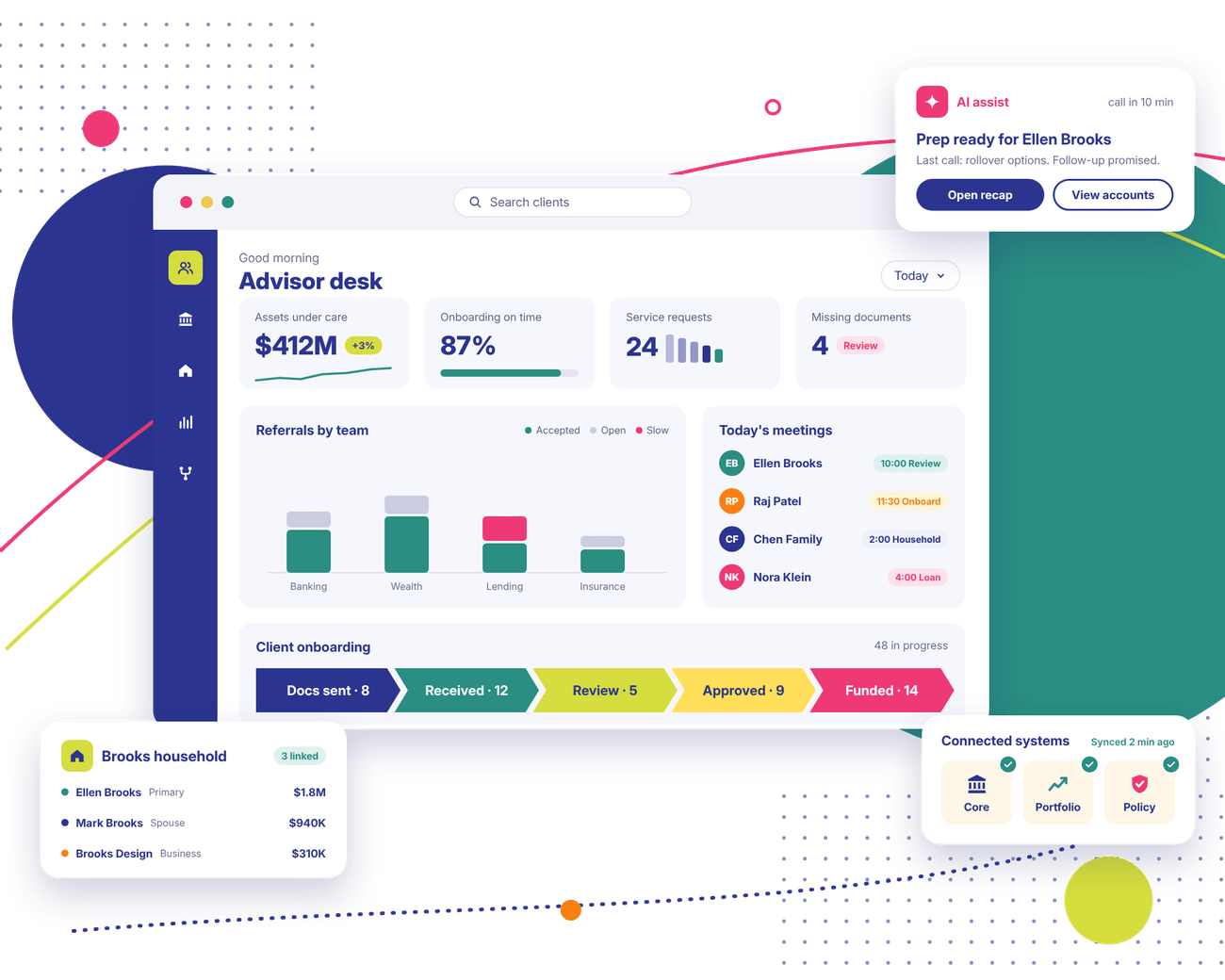
Your advisor has a client call in ten minutes. Balances sit in one system, and last month's meeting notes sit in another. We set up Salesforce Financial Services Cloud so that prep takes a glance. (You may also see it called Agentforce Financial Services, Salesforce's newer name for it.)
Trusted by Enterprise Teams as a Salesforce Consulting Partner
Logos of Texas Instruments, American Express, Fiserv, Autodesk, Target, Honeywell, Dell and Delta Air Lines have worked with Stack Intelligence on Salesforce.
Financial Services Challenges We Help You Solve
Most firms that call us about financial services cloud Salesforce projects describe some version of these.
Client Information Is Spread Across Multiple Systems
Client Information Is Spread Across Multiple Systems
Your core banking system has the accounts. Phone numbers and emails are over in the CRM. Meeting notes? Somewhere in an advisor's inbox. Four open tabs later, the advisor still isn't sure they have everything.
Client Onboarding Involves Too Many Manual Steps
Client Onboarding Involves Too Many Manual Steps
The new client signs on Monday. Two days on, the ID copy hasn't arrived. One form is still unsigned. That follow-up email? Never sent. Each step waits on someone to remember it. And the client is calling to ask what's taking so long.
Relationship Managers Lack a Complete Client View
Relationship Managers Lack a Complete Client View
A relationship manager knows a client's retirement account well. What they can't see is that the client's daughter runs a business that banks with you, too. Household and business links stay hidden, along with the conversations that could have followed.
Teams Work in Silos
Teams Work in Silos
Advisors use one tool. Service reps use another. Operations tracks everything in spreadsheets. One client question can bounce across three teams. Each time, the client starts the story over.
Financial Workflows Are Difficult to Track
Financial Workflows Are Difficult to Track
Who owns that referral from last Tuesday? Has the loan approval moved? Finding out means pinging three people. Tasks without an owner tend to just sit there.
Existing Salesforce Processes No Longer Fit the Business
Existing Salesforce Processes No Longer Fit the Business
Someone set up your Salesforce org years ago, when the team was half its size. Since then, you've added services and customer segments, plus a couple of integrations. Now the screens don't match how people work, and everyone has a workaround.
Salesforce Financial Services Cloud Features That Support Connected Client Relationships
Your licenses shape which Salesforce Financial Services Cloud features you'll have. So does what you connect to it. These are the ones financial teams lean on most.
01
Unified Client and Financial Account View
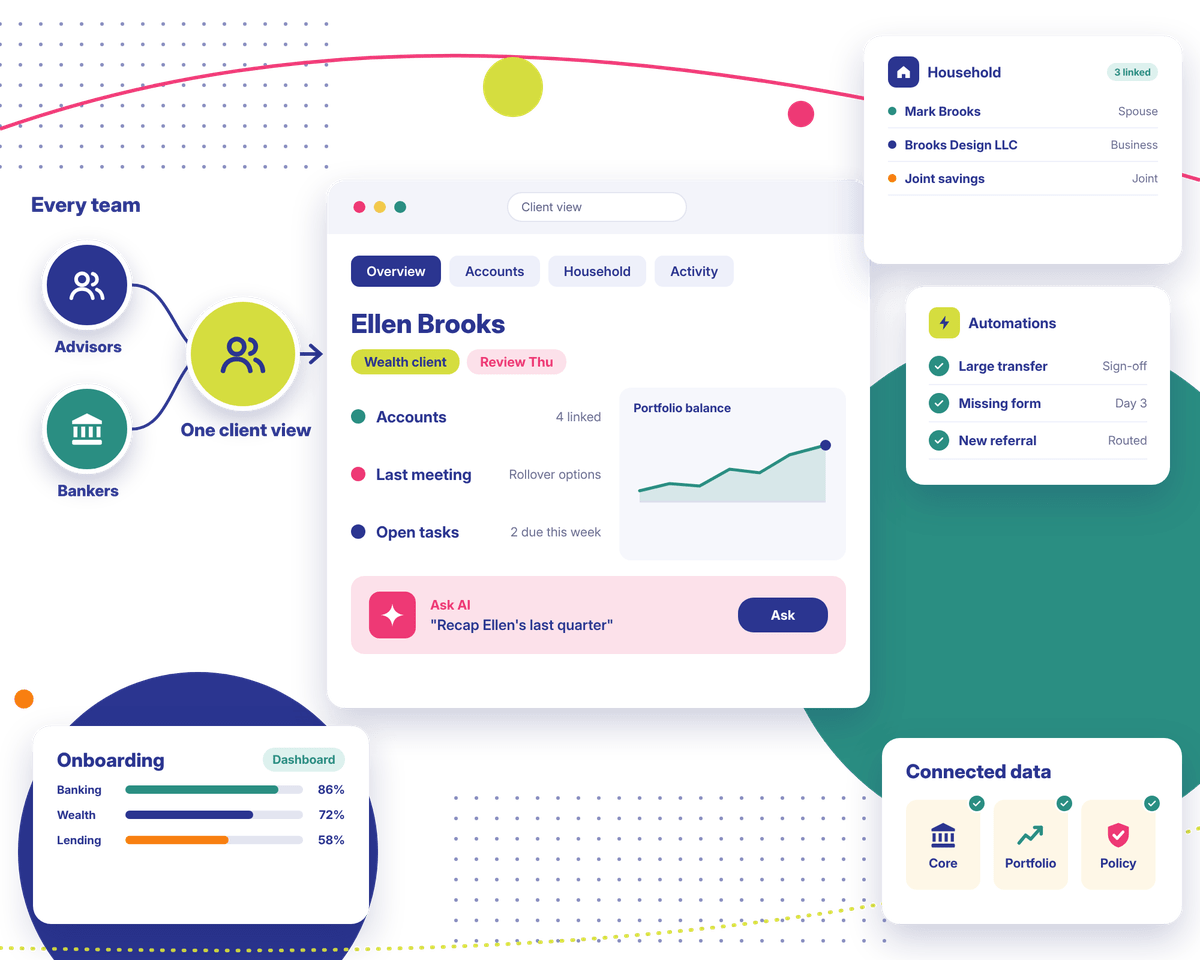
Click on a client and you'll see their accounts on the same page. Balances and recent activity are a glance away for the advisor. Products held show up, too. Your data model and connected systems decide exactly what appears.
02
Household and Relationship Management
Households, business ties, and joint accounts all link together. A relationship manager can see that a client's spouse has a portfolio of their own, or that the client's company banks with you. That changes what you talk about next.
03
Client Onboarding and Action Plans
Action plans split onboarding into small tasks. Each one gets an owner and a date. Documents get tracked as they arrive. Still missing a form on day three? Someone on your side gets pinged, well before the client notices.
04
Interaction History and Client Engagement
Every meeting and call gets logged on the client record, notes included. Prepping for a quarterly review? Scroll back and see what was promised last time. It beats searching old emails.
05
Workflow Automation and Task Management
Approvals and reminders follow your existing process. Say a client moves a large sum. A manager can be asked to sign off first. A new referral can land with the right banker on its own, without anyone forwarding it.
06
Financial Services Reporting and Insights
Managers can check onboarding on a single dashboard. Open service requests sit beside it, and so do referrals by team. Slow spots become obvious, and nobody has to build a spreadsheet for it. Reports only cover data you've connected.
07
Banking, Wealth and Insurance Workflows
Banking teams get their own setup. So do wealth, lending, and insurance. A wealth team tracks client goals. Loan officers see where every application sits. Your licenses and integrations decide what's available.
08
AI-Assisted Workflows and Productivity
Got the right licenses? AI can draft a short recap of a client's recent activity before you meet. It can suggest a next step, too. Small time savings like that add up over a day of calls. We check what your entitlements include before planning anything around it.
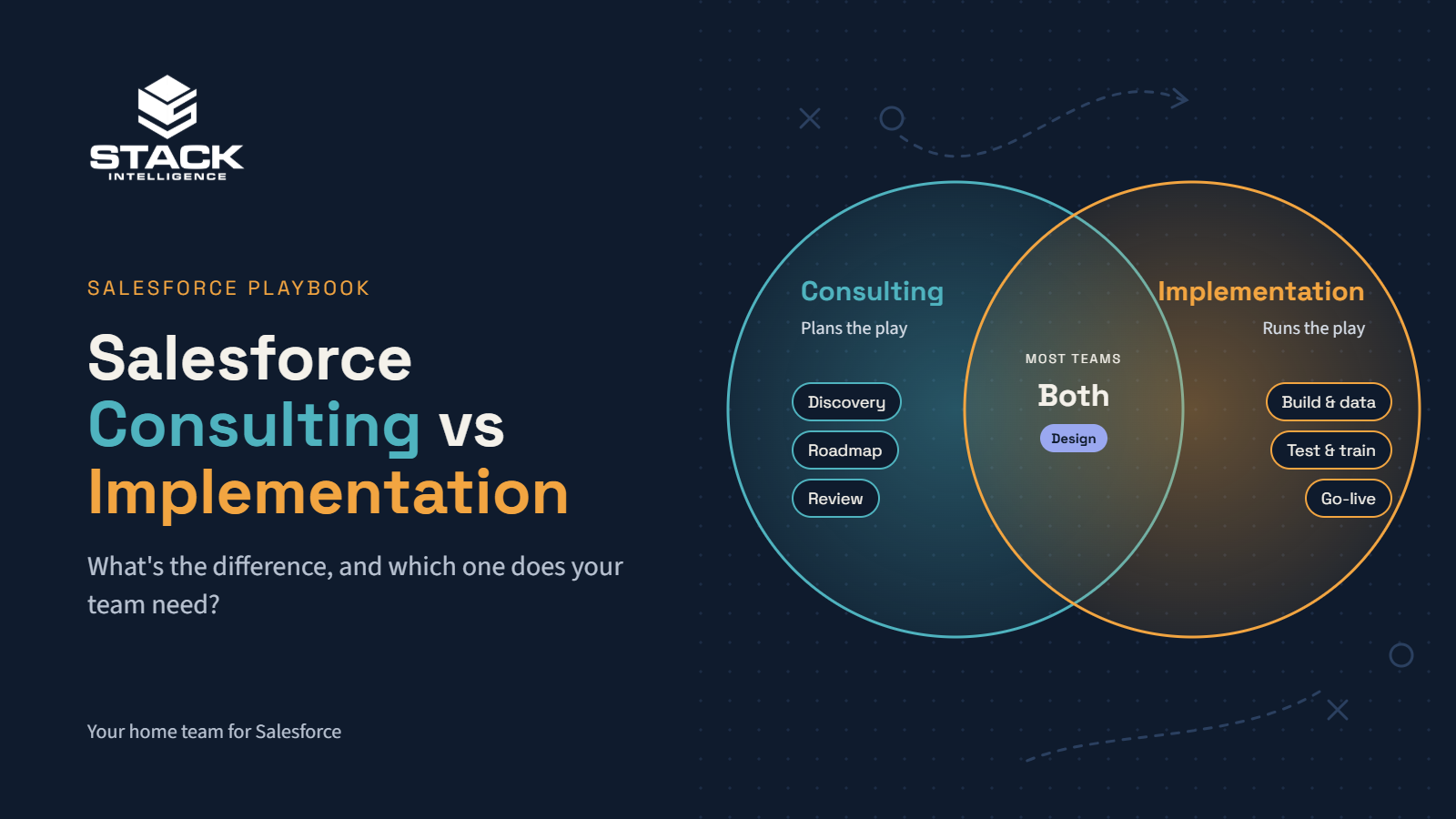
From the first planning call to support after launch, our Salesforce Financial Services Cloud consulting covers it. Every Salesforce Financial Services Cloud consultant on our team starts with your process. The technology comes second.
01 · Consulting
Financial Services Cloud Consulting and Roadmapping
Our first job is understanding how your teams use Salesforce today and where your data sits. You get a roadmap out of it, with the urgent work up top.
Our Salesforce Financial Services Cloud implementation services set up your data model, access rules, and workflows. Users train on real client scenarios before launch day.
We rework fields and page layouts so they fit your process. Automations, too. Each role gets its own reports and dashboards. Custom code only comes in when configuration can't do the job.
04 · Integration
Financial Data Integration
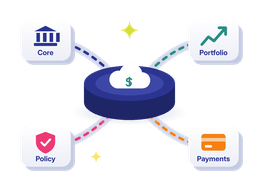
We link Salesforce with your core banking platform. Portfolio and policy tools can connect as well. Every field gets mapped, and we plan for failed syncs. Some systems lack a ready-made connector. You'll hear about those during planning.
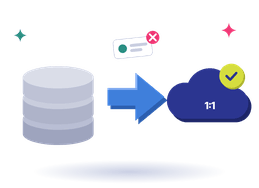
Leaving an old CRM behind? Or cleaning up a Salesforce org that's grown messy? We clean and map client records first. Then we migrate in stages and check record counts with your team.
06 · Managed services
Optimization and Ongoing Support
Already live, but people avoid the system? We find out why and fix it. After launch, our team handles enhancements and integration issues, plus each Salesforce release.
Selling custom glass doors online isn't like selling off-the-shelf parts. Element Designs needed a store that could handle every detail its sales team handles today.
What we did
Stack Intelligence launched a B2B storefront on Salesforce Commerce Cloud with Cyncly's 3CAD configurator built right into the product page.
Result
Now its trade buyers can design one, price it, pay for it, and ship it, all without leaving the site.
WVA's engagements are project-based and rarely stand still. A client signs for one scope, then adds services, filing fees come up as the work moves through city agencies, and retainers get billed up front.
What we did
Stack Intelligence set up Sales Cloud, Revenue Cloud Advanced, and Revenue Cloud Billing as one connected flow, from the first opportunity to the final payment.
Result
Now every proposal, invoice, and payment lives in one place, and the books stay in sync with QuickBooks Online.
WVA's engagements are project-based and rarely stand still. A client signs for one scope, then adds services, filing fees come up as the work moves through city agencies, and retainers get billed up front.
What we did
Stack Intelligence set up Sales Cloud, Revenue Cloud Advanced, and Revenue Cloud Billing as one connected flow, from the first opportunity to the final payment.
Result
Now every proposal, invoice, and payment lives in one place, and the books stay in sync with QuickBooks Online.
Selling custom glass doors online isn't like selling off-the-shelf parts. Element Designs needed a store that could handle every detail its sales team handles today.
What we did
Stack Intelligence launched a B2B storefront on Salesforce Commerce Cloud with Cyncly's 3CAD configurator built right into the product page.
Result
Now its trade buyers can design one, price it, pay for it, and ship it, all without leaving the site.
Clients rate Stack Intelligence 5/5 on Salesforce AppExchange, and these four quotes came in after their projects wrapped.
"Stack is a great partner. We have an extremely tight timeline to implement a very complex commerce site, and they were able to pull it off."
Vince TanDirector of IT, Ascensus Specialties
"Excellent job end to end (SOW to product launch). They took the time to understand our business and needs. We consider them partners and plan on using Stack Intelligence for future projects."
Dan MeloreEVP Marketing & Operations, Health Evolution
"We engaged Stack Intelligence to build a Salesforce Commerce Cloud medication order site for our patients. They were able to scope out all of our needs and deliver the project on time, even when some of our requirements changed. Post-launch support has been excellent as they always respond quickly when issues arise."
Marketing DirectorHealth & Life Sciences
"Stack Intelligence was always a consistent, knowledgeable partner that made sure all of our needs were met throughout the entire project. The people were very easy to work with."
Manufacturing ExecutiveManufacturing
"Stack is a great partner. We have an extremely tight timeline to implement a very complex commerce site, and they were able to pull it off."
Vince TanDirector of IT, Ascensus Specialties
"Excellent job end to end (SOW to product launch). They took the time to understand our business and needs. We consider them partners and plan on using Stack Intelligence for future projects."
Dan MeloreEVP Marketing & Operations, Health Evolution
"We engaged Stack Intelligence to build a Salesforce Commerce Cloud medication order site for our patients. They were able to scope out all of our needs and deliver the project on time, even when some of our requirements changed. Post-launch support has been excellent as they always respond quickly when issues arise."
Marketing DirectorHealth & Life Sciences
"Stack Intelligence was always a consistent, knowledgeable partner that made sure all of our needs were met throughout the entire project. The people were very easy to work with."
Connect Salesforce Financial Services Cloud With Your Existing Systems
Your core systems stay your systems of record. Salesforce Financial Services Cloud sits next to them and pulls in what your teams need. Here's what we usually connect.
Balances, product holdings, and recent transactions can come over from core banking. Bankers get context before a call. Data might refresh every few minutes, or once overnight. It depends on the core system.
Portfolio and financial planning tools can share holdings and client goals with Salesforce. An advisor sees the plan right next to the contact history. What's possible depends on each platform's interfaces.
With the right setup, a client's policy details and claim status appear on their record. A service rep fielding a policy question doesn't have to open a second system to answer it.
Data 360 and Tableau can both pull from Salesforce, along with your other BI tools. That lets reporting teams put CRM activity next to financial numbers. We agree with you on what moves and how often.
Most outside systems connect over APIs. Larger setups often run through MuleSoft. Some connections run in real time. Others run on a schedule. We pick based on your systems and data volumes.
Need a client portal? That's Experience Cloud. Running client campaigns? Marketing Cloud handles those. Service Cloud covers contact centers. If a product doesn't fit your needs or licenses, we won't push it.
Every project we run follows six steps. Timelines come once we've reviewed your data and integrations, along with any regulatory requirements.
Discovery and Requirements
We spend time with advisors and service reps, plus ops staff, to see how client work really happens. Then we find where things stall. You get a short summary to approve before design.
Solution Architecture and Planning
Next up: the data model and integration plan, worked out with you. Access rules get decided here, too. Everything goes into a written scope. Your team signs off before we configure anything.
Configuration and Customization
Features and workflows go in first. Reports come next. Your team gets to see quick demos and give feedback as we go.
Data Migration and Integration
Here's where client records move and systems connect. We clean data before it moves and test each integration. Then record counts get checked with your team.
Testing and User Enablement
We test real business scenarios and check permissions closely. Can a service rep see data they shouldn't? We look for things like that. Then users practice on the real screens.
Go-Live and Continuous Improvement
We go live on the agreed plan and stay close for a few weeks. Fixes get handled fast. After that, real usage tells us what to improve next.
Why Choose Stack Intelligence for Salesforce Financial Services Cloud Consulting?
Here's what working with our team actually looks like, day to day.
Before touching Salesforce, we learn how your advisors and service teams spend their day. How does a referral move? Who approves what? The setup follows those answers, down to the order of fields on a screen.
02
02. Salesforce and Integrations, Planned Together
Integrations get planned in the same room as configuration. Your core systems and Salesforce are designed to work together from the first workshop. Hooking up outside systems through MuleSoft or APIs is everyday work for our team.
03
03. Clear Scope, Honest Trade-Offs
You'll see the full scope before signing anything, including what depends on what. Some choices have trade-offs, and we'll point them out. If a feature costs more than it's worth, we'll say so.
04
04. Help Long After Launch
After go-live, fixes and new requests go to our managed services team. Three Salesforce releases come out each year. We check every one against your org. You set how much help you want.
05
05. A Bigger Salesforce Team Behind You
There's a bigger Salesforce team behind your project team. Hit a tricky connection? An integration specialist joins in. Busy month? We can add an admin without you hiring anyone.
Frequently Asked Questions About Salesforce Financial Services Cloud
Salesforce Financial Services Cloud is the Salesforce CRM made for finance, from banks to insurers. You see each client and who they're connected to. Onboarding and other daily tasks run through it as well. These days Salesforce sells it as Agentforce Financial Services. The old name is still what most people type into Google.
First among the main Salesforce Financial Services Cloud features is a client screen that shows every account a person holds. Households and relationships come next, then onboarding action plans. You'll also find interaction tracking and reports. Some setups add AI. Your licenses and configuration decide the rest.
At first, a Salesforce Financial Services Cloud consultant mostly listens. They ask your advisors and ops people what's slowing them down. Planning and setup follow. Integrations and data migration are usually part of the job. The better ones stick around to help staff settle in. Some clients want them for the whole ride, others just for planning.
Discovery comes first in most Salesforce Financial Services Cloud consulting services, and you leave it with a roadmap. Then comes implementation, along with some customization. Expect some integration work and a data move along the way. After go-live, we stay on to fix issues and keep improving. Your requirements set the final scope.
With Salesforce financial cloud implementation services, the platform gets built for how your institution runs. That covers the data model and workflows. Access controls and integrations are included. We test it all and train your users. And launch day has a written plan behind it.
Yes. We can hook Salesforce up to core banking platforms, along with portfolio and planning tools. Older core systems tend to share less. Sync times differ, too. Some links need custom work. We point those out while planning.
Yes. Those are the firms Salesforce had in mind. That said, every bank works a bit differently. Your compliance team should weigh in before you lock anything down.
No. Picture it sitting on top of what you already run. Your core banking platform remains the system of record. So do policy admin and portfolio tools. Salesforce brings in the context your teams need around them.
Scope sets the timeline. Ten users and three workflows? That's a much shorter project than rolling out across the whole firm. Each added integration stretches it. So do messy data, custom work, and compliance reviews. We give you real dates once discovery is done.
Get them to describe the last Salesforce project they delivered, rough patches included. Then dig into how they'd connect your systems. What does their testing look like? And who helps once you're live? Request examples you can check yourself. Speak with a couple of other firms, too, before you choose.
Let's Plan Your Salesforce Financial Services Solution
Maybe you're new to Salesforce. Maybe your org needs a cleanup, or your systems need connecting. Let us know where things stand. We'll help you figure out what comes next.