





Salesforce Health Cloud Consulting & Implementation

Build More Connected, Personalized Healthcare Experiences With Salesforce Health Cloud

Patient data tends to live in four or five places at once. With Salesforce Health Cloud, your care and admin staff get the parts they need on one screen. Your EHR keeps the official record. And once you're live, we're still here.

Years in Business
7+
Certified Consultants
50+
Projects Delivered
550+
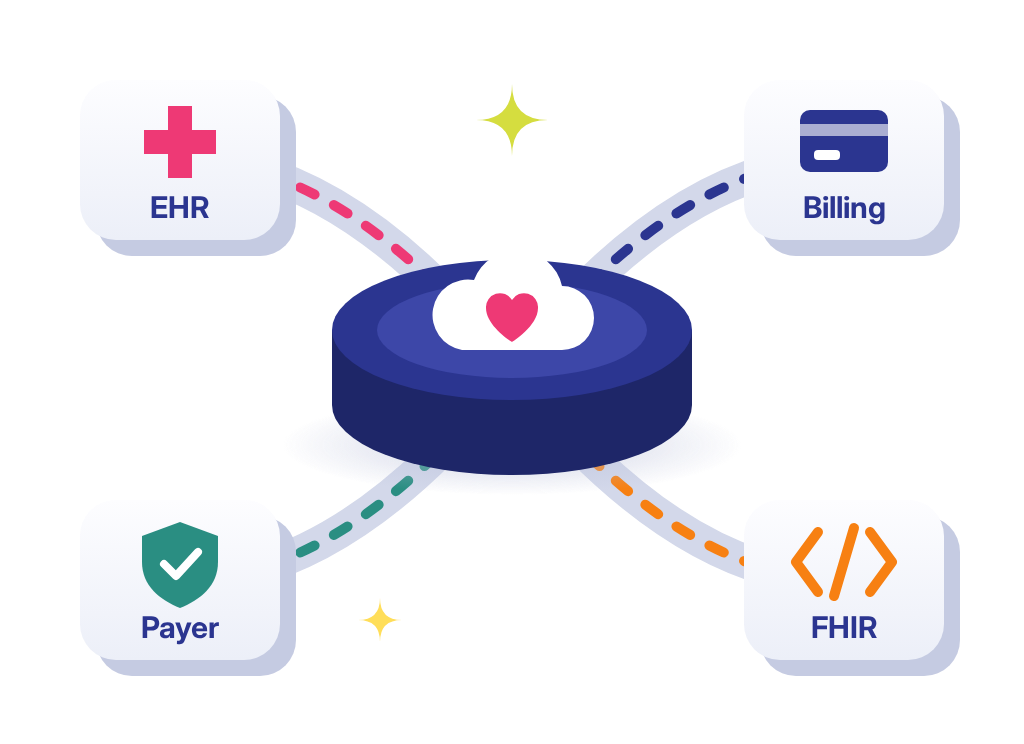
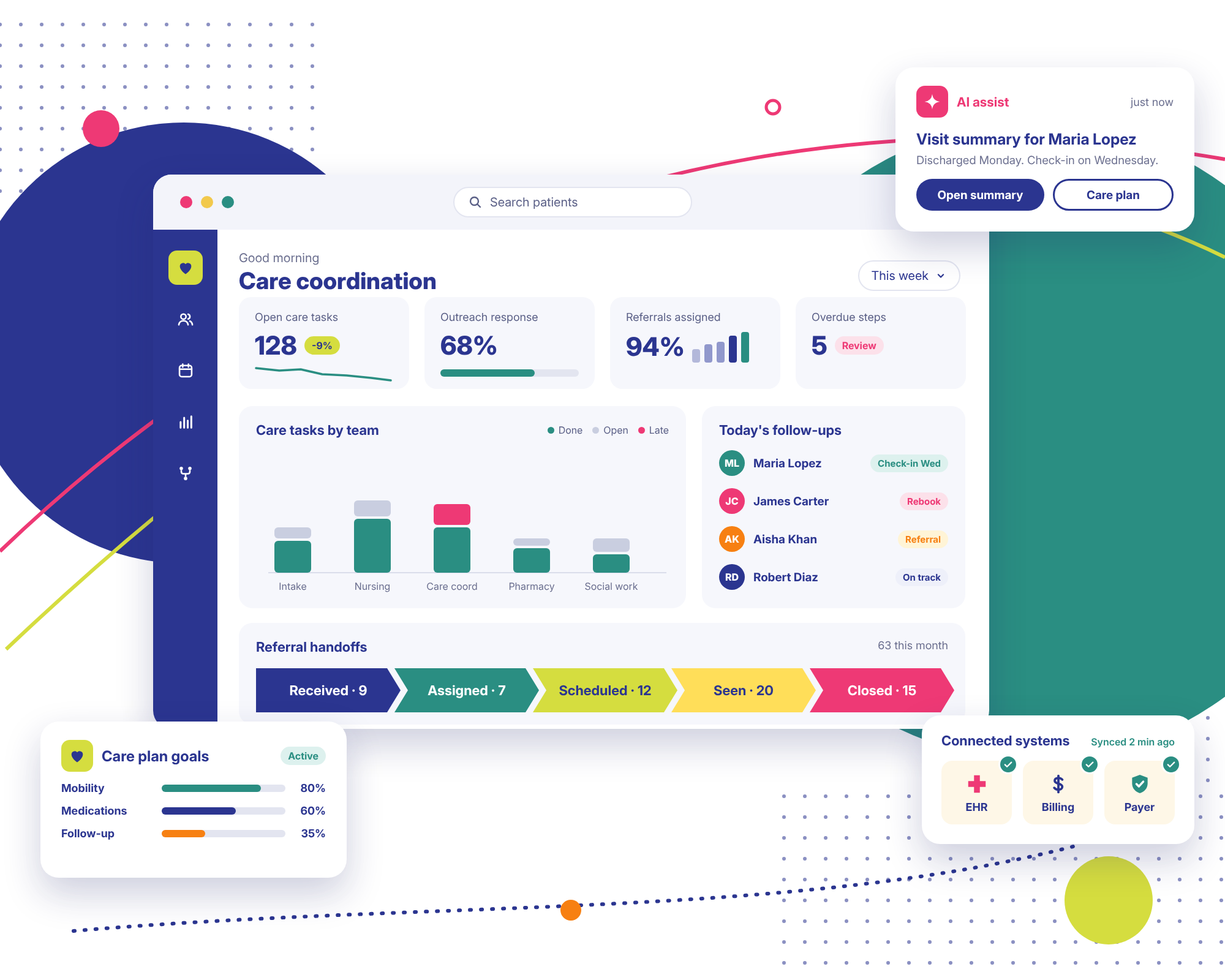
Salesforce Health Cloud care coordination dashboard with care tasks, follow-ups, referral handoffs and connected EHR, billing and payer systems

Trusted by Enterprise Teams as a Salesforce Consulting Partner

Logos of Texas Instruments, American Express, Fiserv, Autodesk, Target, Honeywell, Dell and Delta Air Lines have worked with Stack Intelligence on Salesforce.

Salesforce Health Cloud Challenges We Help Healthcare Organizations Solve

How many screens does a care coordinator open before calling one patient? Their answer usually explains everything below.

  • Patient and Member Information Is Scattered Across Systems

    Clinical notes are in the EHR. Billing is in another tool. The last call with the patient? Logged in a CRM that hardly anyone opens. Before each call, someone's digging through tabs.

  • Care Coordination Involves Too Much Manual Work

    Half the follow-ups are on sticky notes. The rest sit in one coordinator's personal spreadsheet. A nurse assigns a task by email, and it gets buried. When someone's out sick, nobody is quite sure which patients still need a call back this week, or who was supposed to make it.

  • Patient and Member Engagement Is Inconsistent

    One clinic sends appointment reminders by text. Another doesn't send any. A patient might get three flu shot emails and miss the one follow-up their doctor asked for. It happens because every team built its own outreach, and nobody connected them.

  • Healthcare Workflows Are Difficult to Standardize

    Each location runs intake a little differently. One department emails referrals around. The next one drops them in a shared folder. New staff learn the local version. Then handoffs between departments slow down, because nobody is following quite the same steps.

  • Reporting and Operational Visibility Are Limited

    A manager asks how many referrals closed in Q3. Getting the answer takes days. Someone exports from three places and crosses their fingers. You can only report on data you can reach. Right now, that may not be much.

  • Data Access and Privacy Requirements Are Complex

    Who can open a patient record? Who opened it last week? You need answers to both. Each new tool is one more thing to lock down. No tool handles compliance for you. Setup and contracts matter. So do the policies your staff actually follow.

Salesforce Health Cloud Features That Support Connected Healthcare

Talk to a Consultant

Salesforce now calls this product Agentforce Health (formerly Health Cloud). The Salesforce Health Cloud features below are the ones healthcare teams ask us about most. Which ones you get depends on your licenses.

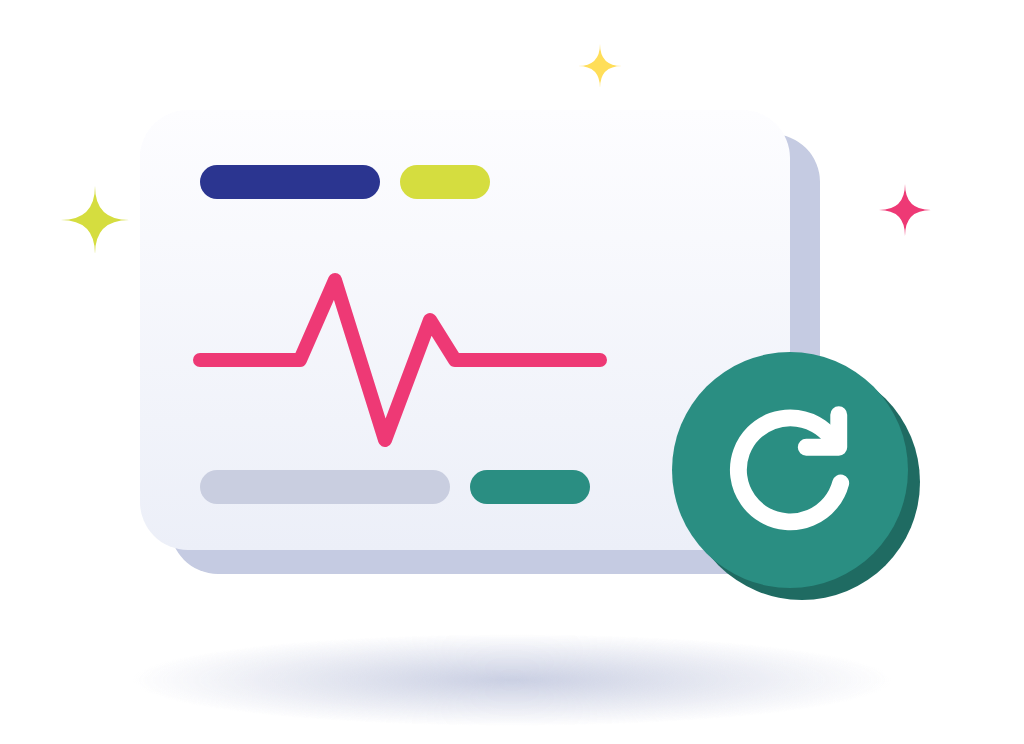
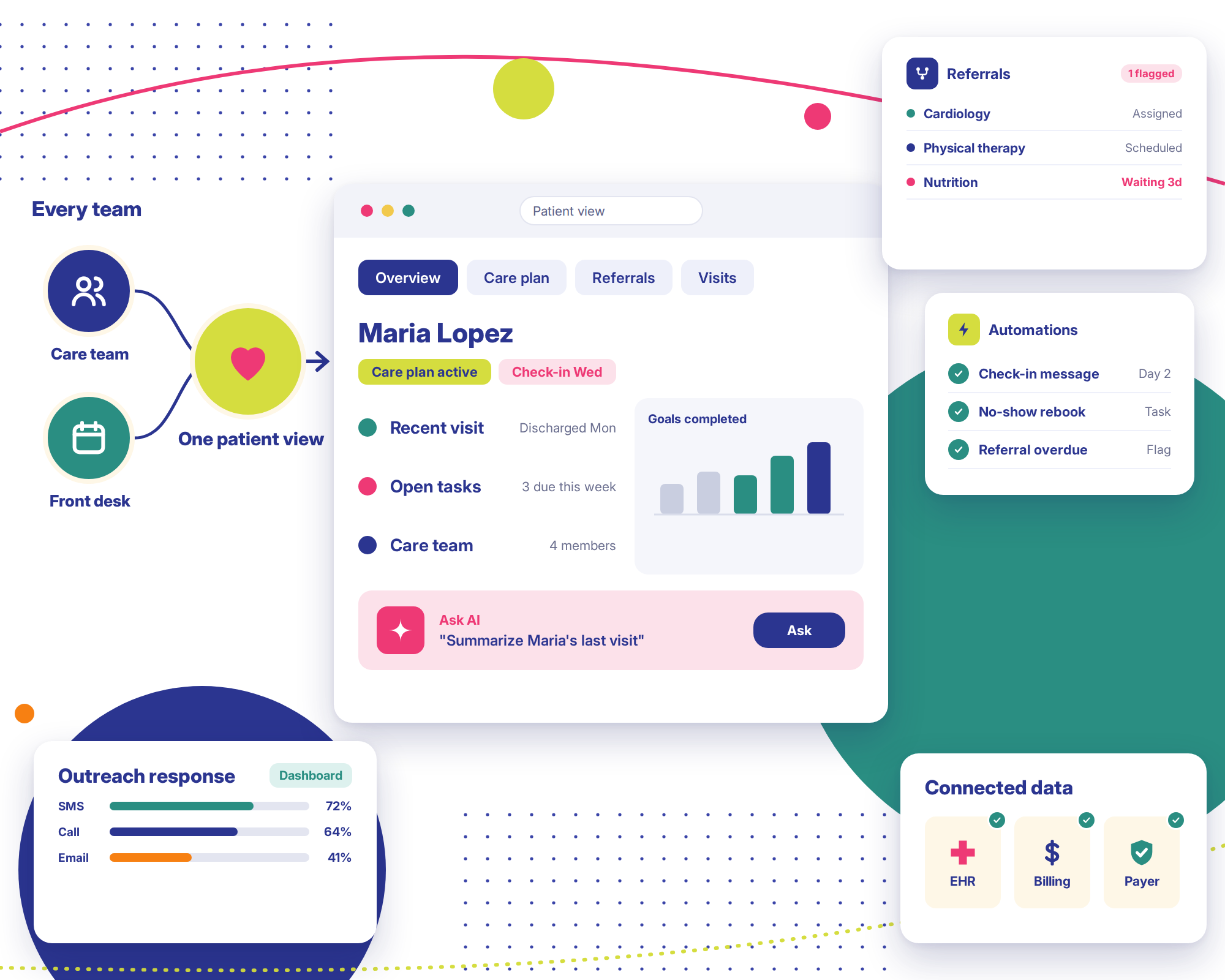
Salesforce Health Cloud patient view with care plan, referrals, automations, outreach response and connected data
  1. Unified Patient and Member View

    Authorized staff see one profile per patient or member, built from your connected systems. Contact details sit next to recent visits and open tasks. The care team is listed there, too. Clinical charts stay in your EHR.
  2. Care Management and Care Plan Coordination

    Care plans turn into a list of goals with tasks under each. Coordinators see the owner of every step, and late ones stand out. Clinicians decide the treatment. Health Cloud just helps the team keep track of the work around it.

  3. Patient and Member Engagement

    Reminders and follow-ups can go out on their own, timed to where the patient is in their care. Say someone leaves the hospital on Monday. A check-in message can go out Wednesday, without anyone having to remember to send it.

  4. Appointment and Workflow Management

    Intake forms feed scheduling, and scheduling feeds follow-up. Picture a patient who doesn't show up for a 2 p.m. visit. The front desk gets a task to rebook them. Your licenses and our configuration decide exactly what's possible.

  5. Referral and Care Team Coordination

    A new referral gets assigned to someone right away. If it sits too long, Health Cloud flags it. Each team can see where the patient is in the handoff. That means fewer patients falling through the gap between two departments.

  6. Healthcare Data Integration and Interoperability

    Other healthcare systems can send data into Health Cloud using APIs and standards such as FHIR. Clean data mapping matters a lot here. Get a field wrong and a nurse might see an old phone number, or a blank.

  7. Healthcare Analytics and Operational Reporting

    A manager can open a dashboard and see open care tasks by team. Referral counts and outreach response rates can sit alongside them. Before we promise any metric, we check that the data behind it actually exists.

  8. AI-Assisted Healthcare Workflows

    With Agentforce Health, AI can write a quick patient summary for staff or fill in intake paperwork. It can also answer routine member questions. What's switched on depends on your licenses. It helps your team with the busywork. Clinicians still make the clinical decisions.

Salesforce Health Cloud Services Tailored to Your Organization

We handle Salesforce Health Cloud services from the first planning call through support. Looking to hire Salesforce Health Cloud consulting services for only one part, such as integration? That works, too. Our Salesforce Health Cloud implementation services can also run end to end.

  • 01 · Consulting

    Salesforce Health Cloud Consulting

    Want to hire a Salesforce Health Cloud consulting company that listens first? We spend time with your staff and sketch how the work flows today. Your systems get reviewed as well. At the end, there's a roadmap on your desk with step one circled.

    Consulting Services
  • 02 · Implementation

    Salesforce Health Cloud Implementation and Customization

    Health Cloud gets set up to match your roles, from the intake desk to follow-up calls. Custom development only comes in when configuration can't do the job. Your staff train on real scenarios before launch day.

    Implementation services
  • 03 · Integration

    Salesforce Health Cloud Integration

    Most Salesforce Health Cloud integration projects we take on begin with the EHR. Billing and payer tools usually come after. We map each field and plan for failed syncs. Not every system has a ready-made connector, and we'll tell you that early.

    Integration services
  • 04 · Data migration

    Salesforce Health Cloud Data Migration

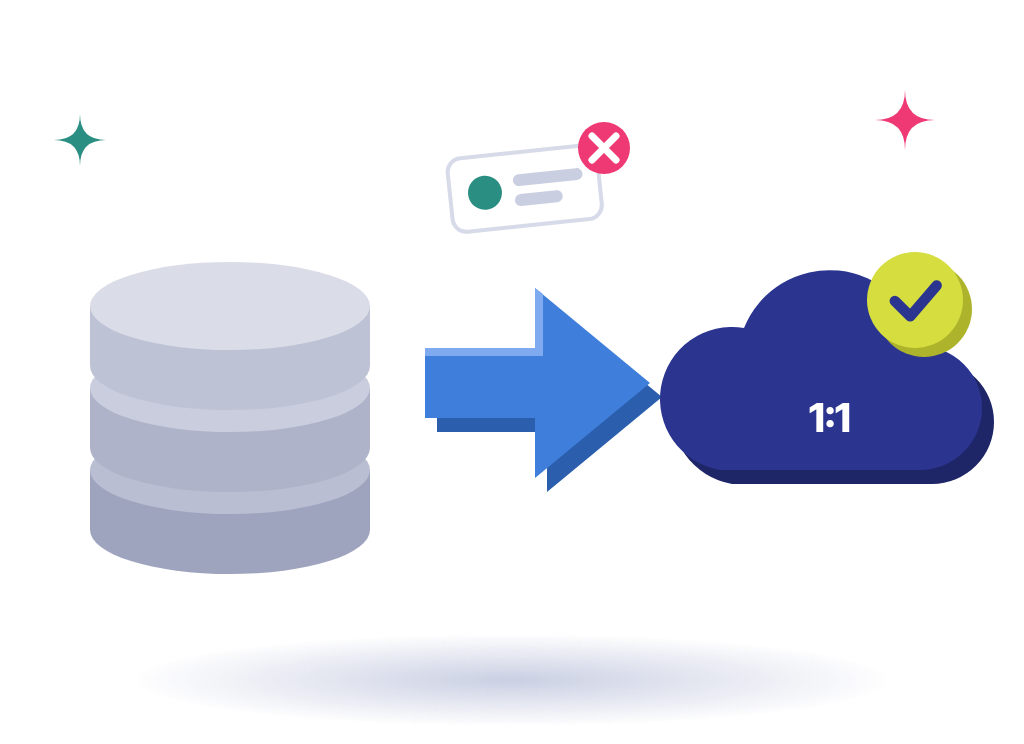
    Moving records off an old CRM or spreadsheets? We clean the data and remove duplicates first. Then we migrate in stages and match record counts with your team. Some legacy fields may need rework.

  • 05 · Patient engagement

    Patient Engagement Workflows and Dashboards

    Some patients answer texts. Others ignore texts but answer a call. So we set reminders to match. Your managers also get dashboards, using data you're already collecting.

  • 06 · Managed services

    Health Cloud Optimization and Managed Services

    Already on Health Cloud? If staff avoid the system, there's usually a reason, so we find the workflow gaps and messy data behind it. Once you're live, our managed services team covers fixes and admin work, plus each Salesforce release.

    Managed services

Ready to Connect Your Healthcare Workflows?

How many systems does your team check before calling a patient back? Tell us, and we'll show you where Health Cloud could cut that down.

Salesforce Case Studies From the Field

Pick a cloud and see what we built, for whom, and what changed after go-live.

View All

Stack Intelligence Client Testimonials

Clients rate Stack Intelligence 5/5 on Salesforce AppExchange, and these four quotes came in after their projects wrapped.

Industries We Serve With Salesforce

Pricing and service work differently in each industry, so we design Salesforce around yours.

Advanced manufacturing plant

Manufacturing

Configurable products, dealer pricing, quoting and field service in one Salesforce org.

Read More
Enterprise data center

High Tech & Software

Subscription billing, partner programs and integrations that keep up as you grow.

Read More
Financial district architecture

Financial & Professional Services

We set up Salesforce so your team sees the whole story on one record.

Read More
Medical research laboratory

Healthcare & Life Sciences

Patient and customer portals, ordering and service workflows with secure data.

Read More
Online shopping cart with parcels

Retail & Consumer Services

When we're done, your staff can pull up any order, booking, or chat from one customer record.

Read More
Truck fleet at a depot

Automotive & Transportation

Stack Intelligence sets up Salesforce Automotive Cloud so carmakers, dealers, and fleets share one view.

Read More
Classroom desk with books and pencils

Education

Your institution probably runs on a dozen systems that rarely talk to each other.

Read More
Two construction workers in hard hats at a building site

Construction & Real Estate

If you sell homes, lease offices, or build them, you're tracking a lot of people at the same time.

Read More
Public civic building

Public Sector

Experience Cloud portals and oversight workflows, plus ServiceNow work for federal and utility clients.

Read More

Looking for a Salesforce Health Cloud Implementation Partner?

Comparing Salesforce Health Cloud partners? Send us a list of the systems you use today. We'll sketch how they could connect, and you can judge us on that.

Connect Salesforce Health Cloud With Your Healthcare Systems

Salesforce Health Cloud integration is where most healthcare projects get tricky. Below are the connections we build most. Your systems and permissions decide how each one gets built. So do data standards and licensing.

  • Clinical data lives in your EHR (electronic health record). After we connect it, approved staff see what they need right inside Health Cloud. The chart itself stays in the EHR. Access rules control who sees each field.

  • Health Cloud can work with Service Cloud for member support and with Marketing Cloud for outreach. Staff then share one view of each person. We'll check your licenses to see which pairings make sense.

  • Your billing or practice management system tracks claims and payments. Got a patient on the phone asking about a bill? The front desk can pull up a summary in Health Cloud. The billing system doesn't go anywhere.

  • Payers and providers trade prior authorizations and referral updates all the time. With the right agreements and permissions, we connect those systems. We review the data-sharing rules for each link first.

  • Many healthcare systems speak FHIR, a common format for health data. We use them where your systems support them. Older systems may not. For those, we build custom mappings and check them with real records.

  • Outreach platforms can pull from Health Cloud to decide who hears what, and when. But consent comes first. We set rules on what data leaves Health Cloud, and we test them before anything goes out.

  • Got other apps? APIs or MuleSoft can link them in. Some links update instantly. Others run on a schedule. We decide timing and approach with you during planning, before any build work starts.

Our Salesforce Health Cloud Implementation Process

Get a tailored build plan

Every Salesforce Health Cloud implementation we run follows six steps. Security and access get checked at each one. We set dates once we understand your scope.

  1. Understand Your Healthcare Workflows

    We talk to the people doing the work, from the front desk to care coordinators. We also look for the spots where patients fall through. You approve a written summary before any design work.

  2. Define Requirements and Solution Architecture

    Workflows and data needs get settled with your team. Who sees what gets decided here, too. Integration plans and scope go in writing. Nothing gets configured until your team has signed off on the design.

  3. Configure Health Cloud

    Workflows and screens go in first, built in stages. Reports come next. Along the way, quick demos give your team a chance to speak up.

  4. Integrate Systems and Prepare Data

    Now the EHR gets hooked up, along with your other systems. We clean and map data first. Afterward, we count records with you, side by side.

  5. Test and Enable Teams

    We run test cases built from real patient situations. Can a scheduler see clinical notes they shouldn't? We check things like that. Staff then practice on the exact screens they'll work in.

  6. Launch and Optimize

    We go live on an agreed rollout plan and stay close for the first few weeks. Issues get fixed fast. After that, we look at user feedback with you and plan the next round of improvements.

Why Choose Stack Intelligence for Salesforce Health Cloud Consulting?

When you bring in a Salesforce Health Cloud consultant, you want someone who knows healthcare work gets messy. Here's how our team handles it.

Hire Salesforce Consultants
  1. 01. We Map Your Workflows Before Building

    Before touching Salesforce, we sit with your staff. How does a referral move today? Who calls the patient back? Your answers shape the screens, even down to field order.

    02. Salesforce Plus the Systems Around It

    We also build on Service Cloud and Marketing Cloud. Connecting Salesforce to outside systems through MuleSoft or APIs is a regular part of our work. That helps, since Health Cloud almost never runs on its own.

  2. 03. Simple Setups for Busy Care Teams

    A nurse's shift is already packed. Extra clicks cost them time. So we strip screens back to what's needed. When we build something custom, your admins get a note explaining it.

    04. Security Planned From Day One

    Access and data governance are on the agenda at our very first workshop. HIPAA compliance belongs to your organization. Our job is to build the controls your compliance team asks for, then test them before go-live.

  3. 05. Support When Your Team Needs It

    Once you launch, fixes and admin work go to our managed services team. Want a new feature? Say the word and we'll build it. Each of Salesforce's three yearly releases gets tested against your org. You pick the level of support.

Frequently Asked Questions About Salesforce Health Cloud

Salesforce Health Cloud is a healthcare CRM from Salesforce. You'll find it in hospitals and clinics, and at health insurers. Each patient or member gets their own screen. Care plans and outreach get managed from that screen. Salesforce now calls it Agentforce Health. Your EHR keeps the clinical records. Health Cloud works beside it.

The main Salesforce Health Cloud features begin with the patient view, since that's what staff use all day. Care plans and outreach tools get heavy use as well. Many teams also use appointment and referral tracking, plus reports. Some setups add AI through Agentforce Health. Your licenses decide the rest.

Our Salesforce Health Cloud services usually begin with a consulting phase and move into implementation. Expect an EHR or billing connection on most projects. Leaving an old CRM? Data migration gets added. Managed services pick up after launch. We're happy to take on just one piece if that's all you need.

First, discovery. We learn how your teams work and which systems they use. Design and configuration follow. Integrations and data prep come next. We test access controls carefully and train your staff before launch. Larger groups tend to roll out site by site.

You hire a Salesforce Health Cloud consultant to get it right the first time. A rushed build with patient data can cause real trouble. And a shortcut taken early often turns into a rebuild later. A good consultant spends time watching your teams first. Then access and integrations get designed to match.

Start with Salesforce Health Cloud partners who've actually delivered Salesforce projects and can show you an integration plan. How do they handle data governance? Who controls access? Find out who trains your staff and what happens after launch. If you're about to hire a Salesforce Health Cloud consulting company, compare a few before you commit.

Yes. We get asked about Salesforce Health Cloud integration with EHR and EMR systems more than almost anything else. We typically use APIs or FHIR. MuleSoft comes in for larger setups. Your EHR's interfaces and our agreed scope set the limits. Some connections need custom work.

No. Health Cloud serves a different purpose. Clinical charts stay in your EHR. Staff see a slice of that data in Health Cloud, enough to coordinate care and reach out. Running both is normal.

Yes. Reminders go out when you tell them to. Haven't heard from a patient in a while? Staff get flagged so someone can call. Your data and workflow setup shape how well this works. We won't promise clinical outcomes, and no vendor should.

Everyone with access looks at the same patient record. The care plan and open tasks are right there with it. Say a coordinator passes a task to the pharmacy team. They can watch it get picked up. How complete that picture is depends on what's connected.

That comes down to scope. One team with a handful of workflows can go live fairly quickly. A rollout across several sites with multiple EHR links takes a lot longer. Data readiness and security reviews affect timing, and so does testing. We give you real dates once discovery is done.

For the most part, yes. Patient or member records can usually move from an older CRM or spreadsheets, along with contact history. A few old fields won't fit the new structure and need reworking. Source systems and permissions shape how smooth it goes. We agree on scope with you before anything moves.

No. Buying Health Cloud doesn't make you HIPAA compliant. Your agreements with Salesforce matter, and so does the configuration. Your internal security controls and policies count as well. Our team configures access and governance around your compliance team's rules.

After launch, Stack Intelligence stays on through managed services. We take care of fixes and routine admin. New requests get built after you sign off. Each Salesforce release gets checked against your setup. Some clients want a monthly block of hours. Others call us per project. We scope it around what your team handles in-house.

Ready to Build a More Connected Healthcare Experience With Salesforce?

Picture your care team's busiest morning. What goes wrong? Tell us, along with the tools they use. We'll come back with a Salesforce Health Cloud plan built around it.