What is Salesforce Revenue Cloud?
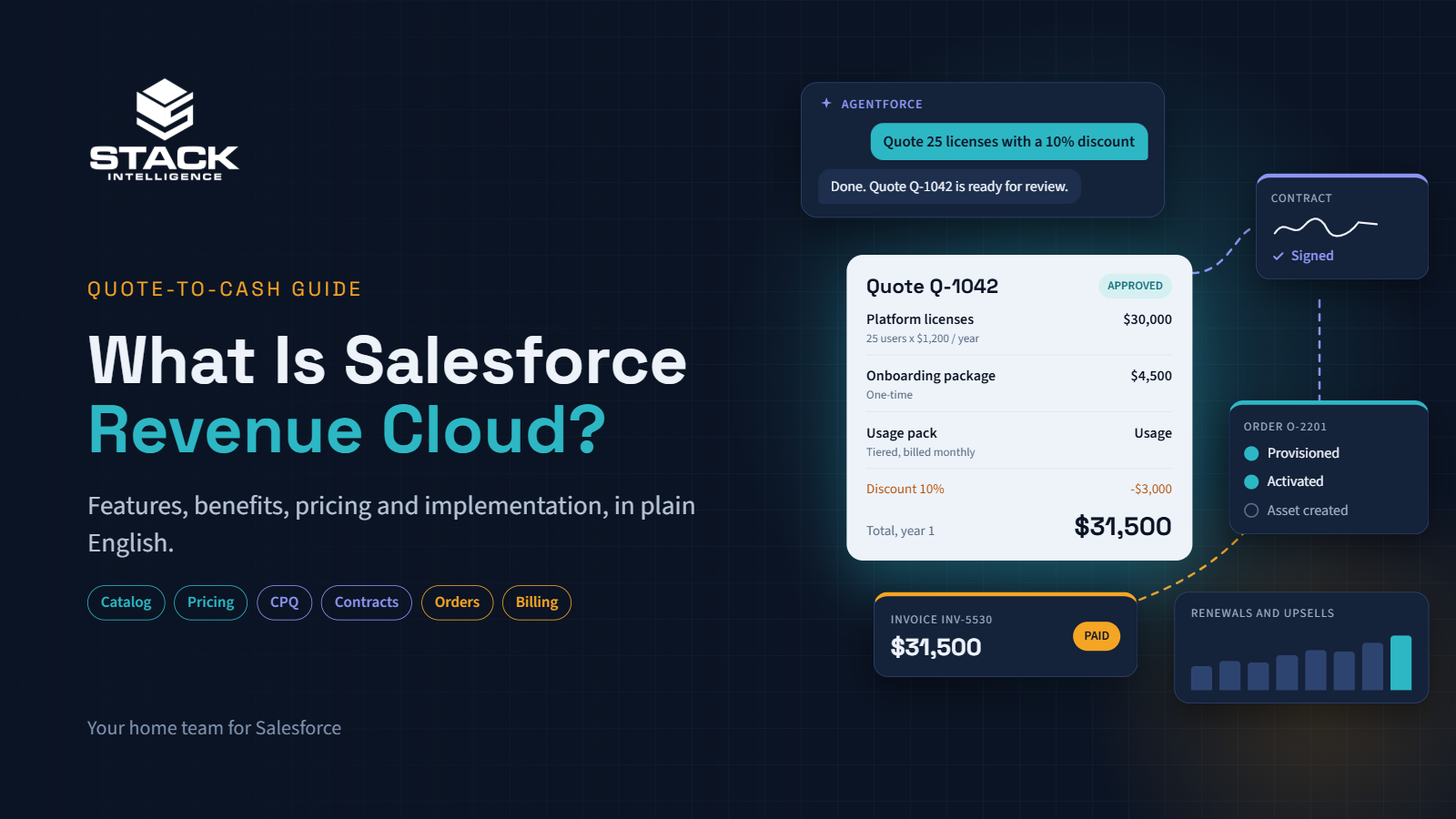
Salesforce Revenue Cloud is where selling, pricing and billing live together in Salesforce. A deal starts as a quote, turns into a contract and an order, and ends as an invoice, without anyone copying numbers from one tool into another.
That last part is the reason most teams look at it. In a lot of the companies we talk to, the price list is a spreadsheet that three people edit, discount rules are whatever the sales manager remembers, contracts sit in a shared drive and billing happens in the ERP. Each of those handoffs is a spot where a number can quietly change.
Salesforce calls it a complete revenue lifecycle management platform built natively on Salesforce. In plain terms, sales, RevOps and finance end up looking at the same records.
Wasn’t it renamed Agentforce Revenue Management?
For a while, yes. Late in 2025 Salesforce added “Agentforce” to the names of a long list of products, and Revenue Cloud became Agentforce Revenue Management. Around Dreamforce in September 2026 the old names came back (Sales Cloud and Service Cloud too).
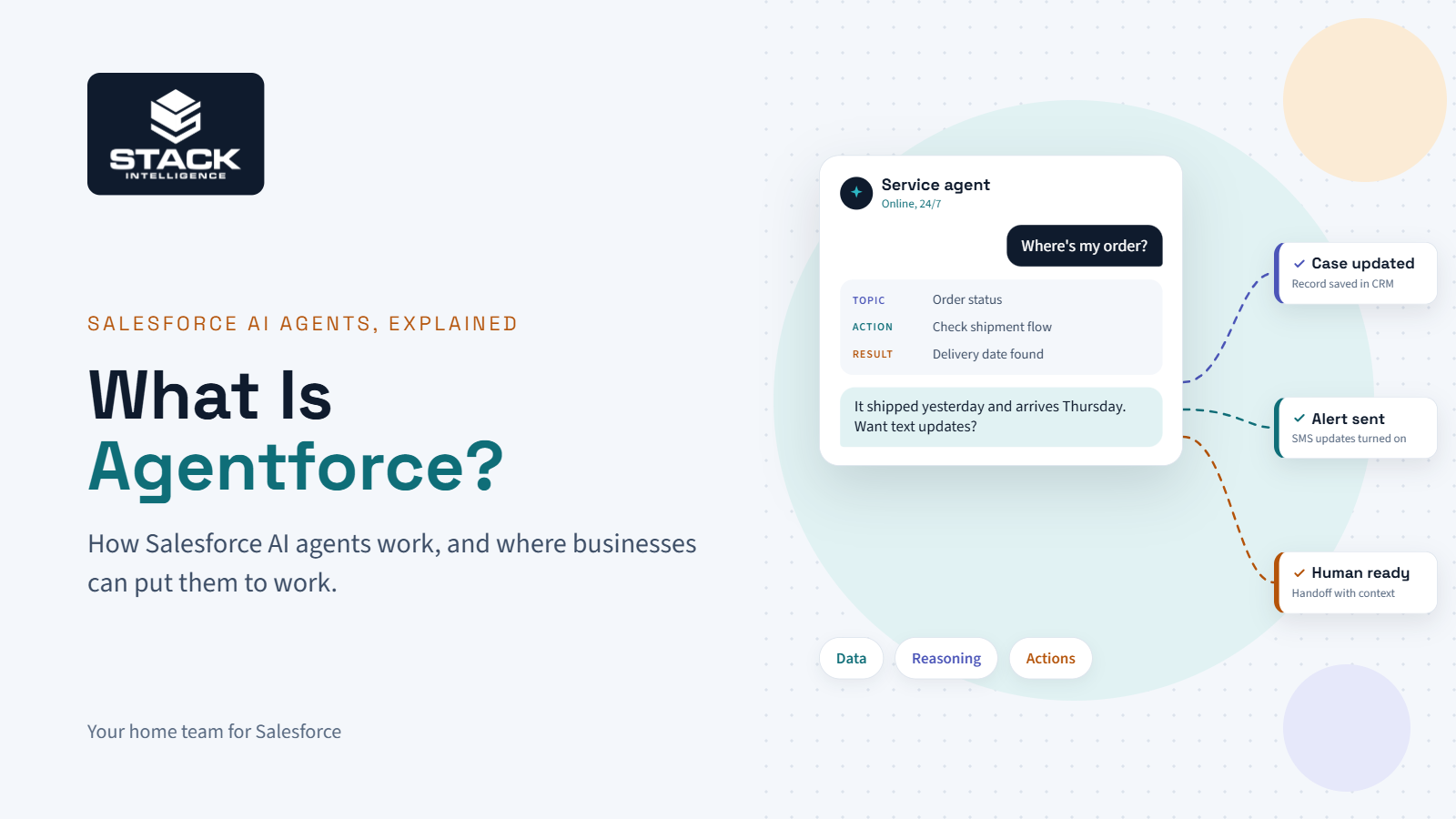
Agentforce is still around as the name for the AI agents that work inside the product. If a proposal or an older article says Agentforce Revenue Management, or the even older Revenue Lifecycle Management, it’s talking about the same product family. Salesforce’s pricing page sells it as Revenue Cloud Growth and Revenue Cloud Advanced.
Where did it come from?
The roots are in Salesforce CPQ, a tool that existed to help a rep put together a correct quote. That worked fine when most companies sold a product once. Subscriptions, usage pricing and partner channels made the job a lot bigger than quoting.
Salesforce rebuilt the newer version inside the core platform instead of shipping it as a package on top, and in 2025 it added Agentforce agents to it.
What are the key features of Salesforce Revenue Cloud?
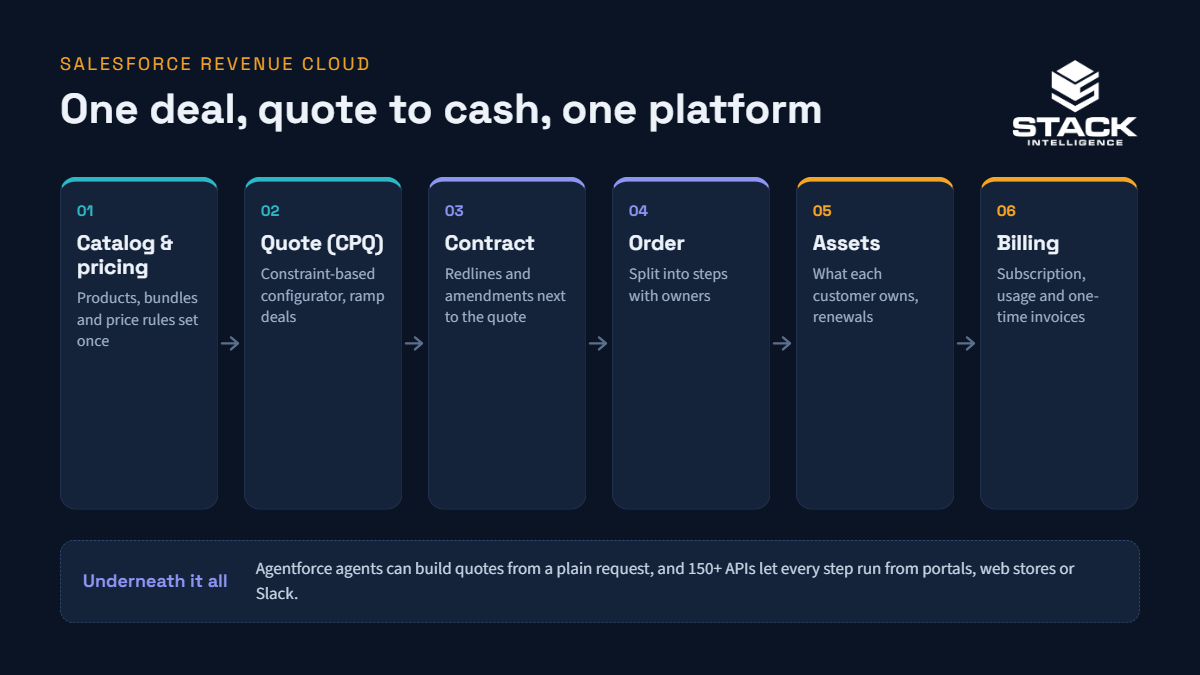
We’ll go through these in the order a deal actually hits them, since that’s the easiest way to see how one piece feeds the next.
Product catalog and price management
Products, bundles and the rules about what goes with what get set up once. Direct reps, partners and self-service buyers all pull from that same setup. You can price a product as fixed, tiered, volume, matrix or usage-based, which covers almost every model we see in the wild.
Configure, price, quote
CPQ didn’t disappear. Salesforce says the best of it was carried into Revenue Cloud. The configurator is now constraint-based, so while a rep builds a deal it keeps checking which options can go together. Multi-year deals, ramp deals and scheduled price increases are handled in the quote itself.
Quotes can also get much bigger than before. According to Salesforce, the Product Configurator handles quotes with more than a thousand lines. Companies selling equipment with hundreds of parts tend to care about that one a lot.
Contract lifecycle management
Drafting, redlining and amendments happen in the same place the quote was built. Legal can keep a set of approved templates so the same clause isn’t rewritten every month. One thing to check before you budget: the pricing page shows this as something you buy separately on the Growth edition.
Orders and fulfillment
After signature, a tool called Dynamic Revenue Orchestration splits the order into steps and gives each step an owner. When provisioning stalls, you can see which step it’s stuck on (and who to chase).
Asset lifecycle
Revenue Cloud keeps a record of what every customer owns, and renewals, amendments and cancellations work from those assets. Old CPQ ran them off contracts. It sounds like a small detail until your first big renewal season.
Billing and invoicing
Subscription, usage, one-time and hybrid billing are all supported. Salesforce also sells Revenue Cloud Billing as its own product for usage rating, invoices, payments and collections, and the pricing page lists Invoice Management as an extra purchase on Advanced.
Analytics and AI
There are dashboards for pricing, subscriptions, orders and billing. The AI side is Agentforce for Revenue, where a rep types a request like “Quote 25 licenses with a 10% discount” and the agent builds the quote with the right products and terms. Salesforce reports that its own sales team saw quoting time fall by 75% and clicks fall by 87%. Keep in mind that’s Salesforce grading its own homework, so use it as a sign of direction.
APIs under the hood
This one gets skipped in most demos, which is a shame, because it changes what you can build. Salesforce says Revenue Cloud has 150+ APIs and invocable actions, so quoting, pricing, ordering and billing can run from a partner portal, a web store or Slack as well as from the Salesforce screen. We wrote more about that idea in our post on Salesforce Headless 360.
What are the benefits of Salesforce Revenue Cloud?
The feature list is what gets shown in the demo. After go-live, teams mostly notice the things that stop breaking.
The first is speed on quotes. Pricing and approval rules sit inside the quote, so a rep with a 15% discount doesn’t have to email finance and wait half a day for a yes.
The second is that the numbers line up. Whatever price is on the quote carries into the contract and then onto the invoice, and since nobody retypes it, the arguments with customers over billing get a lot rarer.
Launching something new gets easier too. Salesforce says teams can put out new products and promotions without waiting on IT. We’d add one condition from experience: that holds once the catalog is clean, and not before.
If you sell through partners or a self-service store as well as direct reps, everyone works from one catalog and one pricing engine, which ends the “why is the partner price different” emails.
Finance benefits in a quieter way. Salesforce says Revenue Cloud supports ASC 606 and IFRS 15 compliance, and ARR, MRR and churn dashboards come from the same records the deal was built on. Plenty of companies still run revenue recognition in their ERP, which is fine, because the point is that the data reaching the ERP is right.
Then there’s AI. Old CPQ had very little native AI support, while Revenue Cloud was designed around Agentforce and APIs. Teams planning Agentforce and AI automation for sales will be building on top of it.
We see the biggest payoff in manufacturing, high tech and any business that sells subscriptions alongside hardware.
How is Revenue Cloud different from Salesforce CPQ?
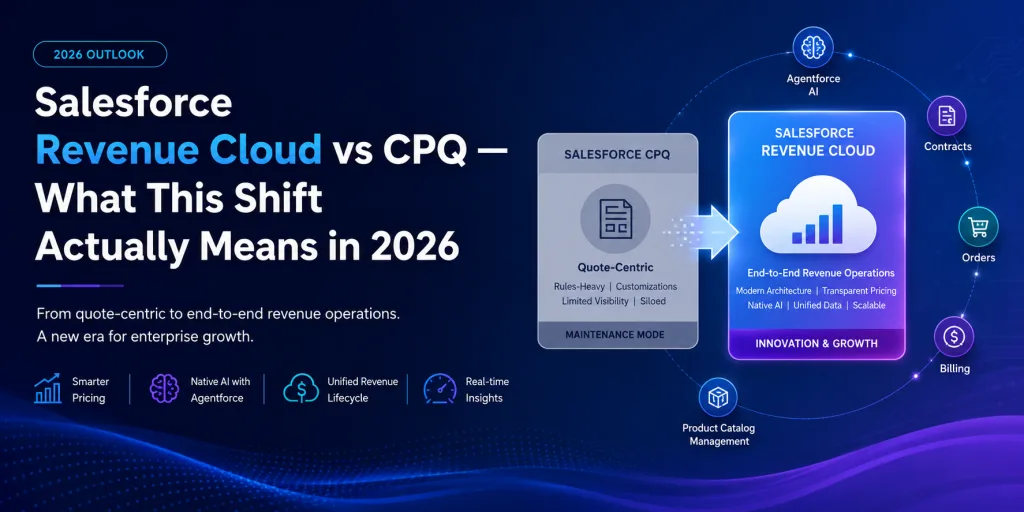
CPQ was built for quoting. Salesforce Revenue Cloud covers quoting plus everything that happens after the customer says yes.
The architecture is where they really split. CPQ is a managed package that gets installed on top of Salesforce, and Revenue Cloud Advanced sits in the Salesforce core. Salesforce compares the two in its CPQ end-of-sale article, and the table below is our plain-English version of that comparison.
| Salesforce CPQ | Revenue Cloud Advanced | |
|---|---|---|
| How it’s built | Managed package on top of Salesforce | Native to the Salesforce core |
| How you adopt it | All or nothing | Pick pricing, quoting, ordering or billing on their own |
| Configurator | Rules-based | Constraint-based |
| Pricing logic | Price rules, custom scripts, custom code | Declarative pricing procedures |
| Renewals and amendments | Run off contracts | Run off assets |
| AI | Limited native support | Built for Agentforce and APIs |
Is Salesforce CPQ going away?
Not yet. Salesforce’s wording is “end of sale, not end of life.” New customers can’t buy CPQ licenses anymore, while existing customers can keep using it, add users, renew and get support. There’s no announced end-of-life date and no forced migration.
New features are going into Revenue Cloud, though, and CPQ is in maintenance mode. Salesforce says about 15% of Revenue Cloud Advanced customers came over from CPQ. For most CPQ teams the move looks likely at some point, and the real planning question is timing.
We compared the two in more depth in Salesforce Revenue Cloud vs CPQ. If you’re on CPQ today, our CPQ migration team can size the move for you.
How much does Salesforce Revenue Cloud cost?
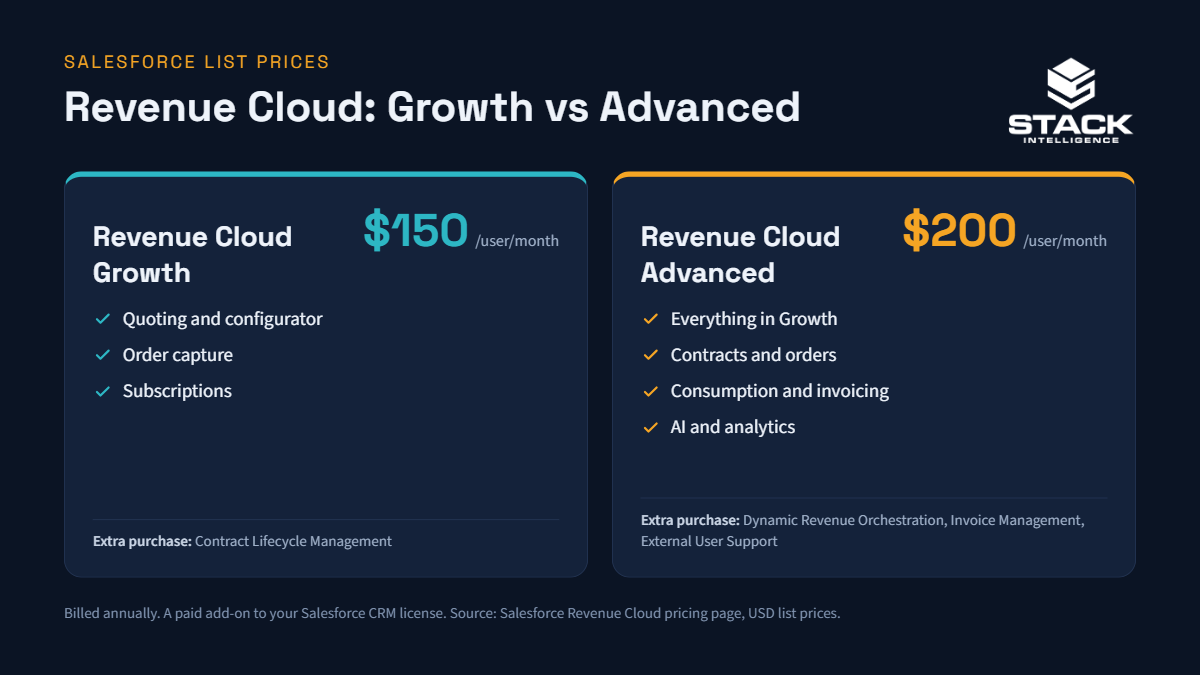
The Revenue Cloud pricing page shows two editions, each charged per user per month on an annual contract.
| Edition | List price | What you get |
|---|---|---|
| Revenue Cloud Growth | $150 per user per month | Quoting and configurator, order capture, subscriptions |
| Revenue Cloud Advanced | $200 per user per month | Everything in Growth, plus contracts and orders, consumption and invoicing, AI and analytics |
Those numbers leave out a few things worth knowing before you build a budget.
Revenue Cloud is sold as an add-on. Salesforce says plainly that it isn’t a standard Sales Cloud feature, so you need a Sales Cloud or other CRM license under it.
A few pieces are priced separately. The pricing page marks Contract Lifecycle Management as “available for purchase” on Growth, and does the same for Dynamic Revenue Orchestration, Invoice Management and External User Support on Advanced (some of these come with limited free access).
The list price is where talks start. Salesforce itself points you to an account executive for the detailed breakdown, and your user count and contract length will move the final figure. There’s no free trial, but Salesforce does run hands-on workshops.
And the licenses are only one line on the bill. Setup costs money too: cleaning the catalog, rebuilding pricing, connecting the ERP and testing. How much depends mostly on the state of your data, and much less on the edition. Our Salesforce implementation cost guide shows how we’d budget for it.
Growth or Advanced?
Growth suits teams whose main need is clean quoting plus subscriptions. If contracts, order orchestration, usage billing or the AI features are on your list, you’ll want Advanced. When a team can’t decide, we usually ask them to sketch one real deal from quote to cash on a whiteboard, and by the end of that sketch the answer tends to be obvious.
How do you implement Salesforce Revenue Cloud?
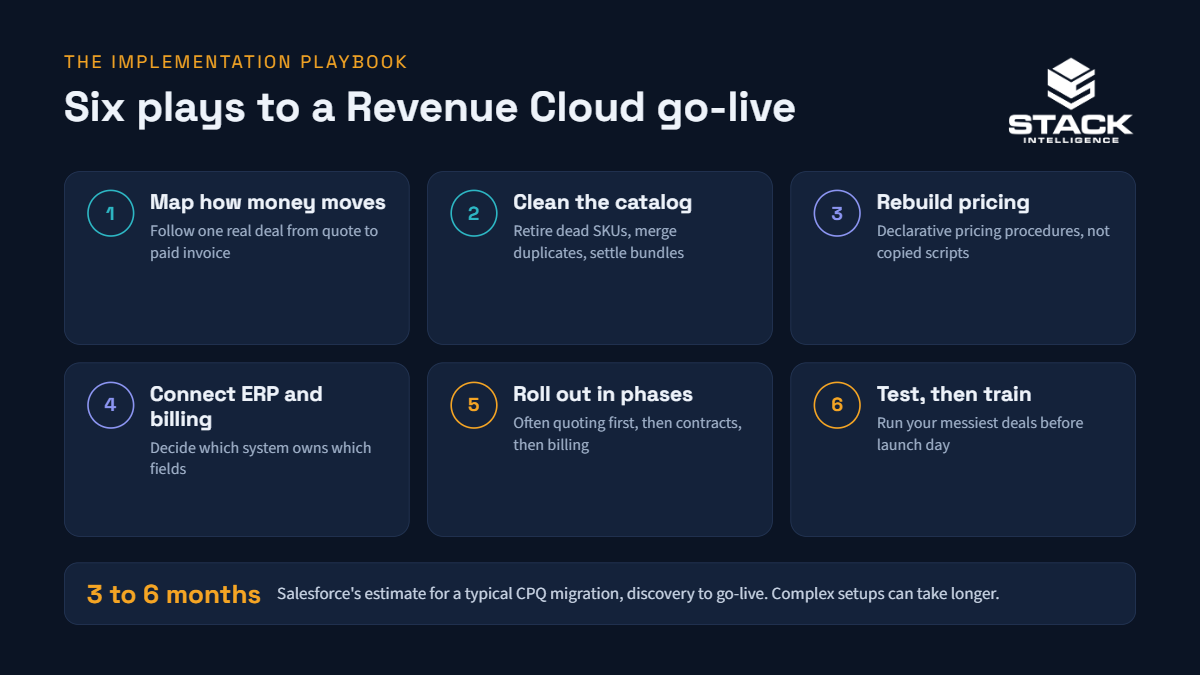
No two projects look alike in the kickoff deck. Once the work starts, though, we end up running most of them in roughly this order.
1. Map how money actually moves
Pick one real deal from last quarter and follow it from first quote to paid invoice, writing down every handoff, approval and side spreadsheet along the way. Salesforce suggests starting with the places your current setup causes the most friction, and in our experience those are usually slow quotes, manual approvals and pricing exceptions.
2. Clean the product catalog
Teams want to skip this step more than any other, and it decides the project more than any other. Retire the SKUs nobody sells, merge the duplicates and agree on how bundles should work. A great configurator running on a bad catalog only produces bad quotes faster.
3. Rebuild pricing the new way
Pricing in Revenue Cloud runs on declarative pricing procedures instead of custom scripts, so copying old CPQ price rules across one at a time is usually a mistake. Salesforce’s migration guide says the same thing in its own words, calling for a stronger revenue model over a screen-by-screen rebuild.
4. Connect the ERP and billing systems
Orders and invoices almost always have to reach an ERP or a finance system, so plan those connections early and settle which system owns which fields. Our post on MuleSoft vs APIs vs Salesforce Connect can help you pick an approach, and our integration team can do the build.
5. Roll out in phases
Salesforce designed Revenue Cloud so you can start with what you need most and add more later. A common path is quoting first, contracts next and billing after that, though your own pain points should set the order.
6. Test with real deals, then train
Take last quarter’s messiest deals and run them through the new setup. When those come out right, the simple ones almost always do too. Train the reps on the new screens before launch day, since learning them during a live deal is stressful for everyone.
How long does it take?
For CPQ customers, Salesforce estimates a typical migration at 3 to 6 months from discovery to go-live, with complex setups taking longer. A brand-new rollout follows similar logic, and the state of your catalog and pricing will do more to set the timeline than anything else.
What mistakes should you avoid with Revenue Cloud?
A handful of these keep coming up in our projects.
The most common is treating Revenue Cloud as a CPQ upgrade. The data model is different, pricing works another way and renewals run off assets, so teams that lift their old CPQ logic across usually end up rebuilding it a second time.
We also see companies buy Advanced for features they won’t touch for a year. Starting on the edition that fits the deals you close today, and moving up later, tends to cost less than paying for licenses that sit unused.
Bringing finance in late hurts too. When the people who own invoicing and revenue recognition first see the system in user testing, the gaps show up in week twelve, which is about the most expensive week to find them.
People get forgotten as well. A new quoting screen changes how a rep spends the day, so give them a reason to like it and somewhere to ask questions once it’s live.
If your current Salesforce org already feels shaky, a Salesforce health check will show you what to fix before Revenue Cloud goes on top of it.
How does Stack help with Salesforce Revenue Cloud?
Stack Intelligence is a Salesforce team in Beachwood, Ohio, made up of hometown friends who’ve been on the same team since Little League. Revenue Cloud is one of the plays we run most often.
Our starting point is your products, your pricing and a few of your real deals. From there we design the catalog and pricing logic, build the quote-to-cash flow and connect it to the systems your finance team already uses. Once it’s live, our managed services team can keep it tuned through each Salesforce release.
Our Revenue Cloud services page walks through how we work, whether you’re starting fresh or moving off CPQ. For the wider rollout picture there’s our Salesforce implementation services page, and our case studies have the highlight reel.
Book a 25-minute working session. Bring one real deal and we’ll walk it through Revenue Cloud with you.
Keep exploring
Still weighing your options? Read Salesforce Revenue Cloud vs CPQ for the side-by-side, then see what Salesforce Headless 360 means for API-first selling.
Picking a team for the work? Start with how to choose a Salesforce implementation partner and Salesforce consulting vs implementation.
Want a second set of eyes on your quote-to-cash setup? Book a working session and we’ll walk through it together.
We share Revenue Cloud tips and client wins on LinkedIn.