What is Salesforce Agentforce?
Salesforce Agentforce is a set of AI agents that live inside Salesforce. You can use the agents Salesforce ships, or build your own. Each one is given a job, and it works on that job using your company’s data.
The word that matters is “agent.” A regular AI assistant writes you a reply and stops. An Agentforce agent can read the customer’s order, check the return policy, start the return, and tell the customer when the refund will land. It does the follow-through as well as the talking.
Salesforce launched Agentforce in 2024. It grew fast. In its fiscal 2026 results, Salesforce reported more than $800 million in Agentforce annual recurring revenue.
Is Agentforce still the name?
Yes. In late 2025, Salesforce put the Agentforce name on a lot of its products, so Service Cloud became Agentforce Service, for example. In September 2026, most of those products went back to their old names. Agentforce stayed as the name of the AI agents themselves. So when you read about Salesforce Agentforce today, it means the agents, which work inside Sales Cloud, Service Cloud, and the rest.
Who is it for?
Any team that already runs on Salesforce and has work that repeats. Think support teams answering the same 30 questions every day, or sales teams that can’t get to every inbound lead. If you’re not sure your org is ready, a Salesforce health check is a good first step.
How do Salesforce AI agents work?
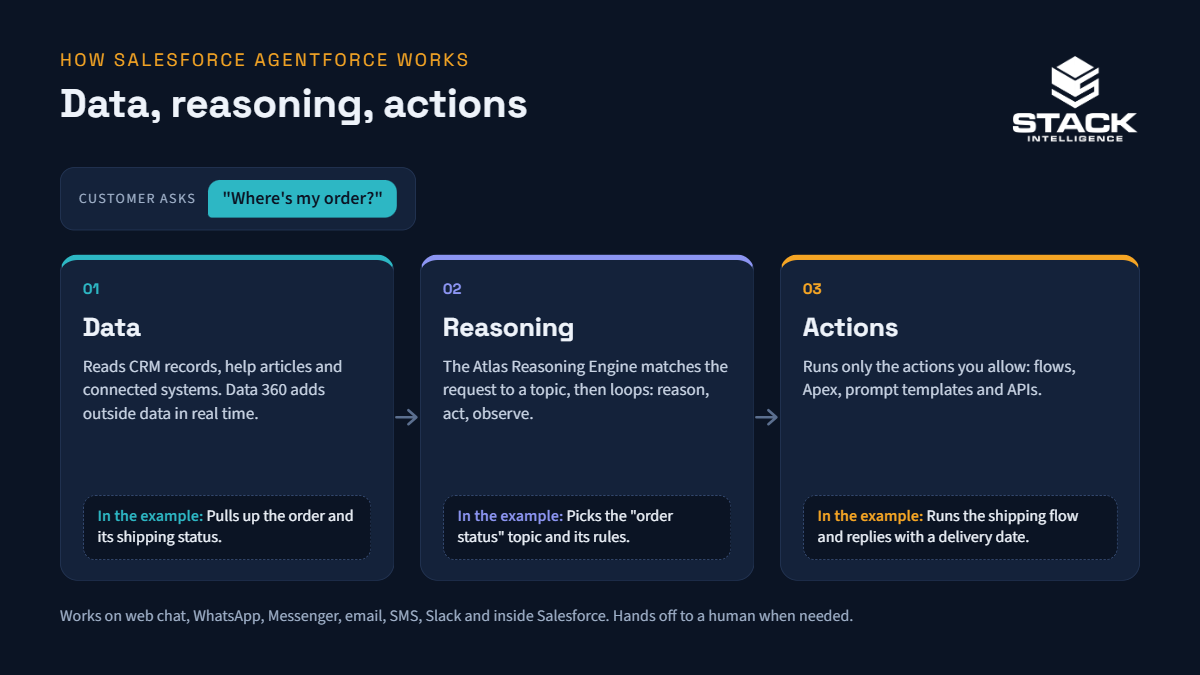
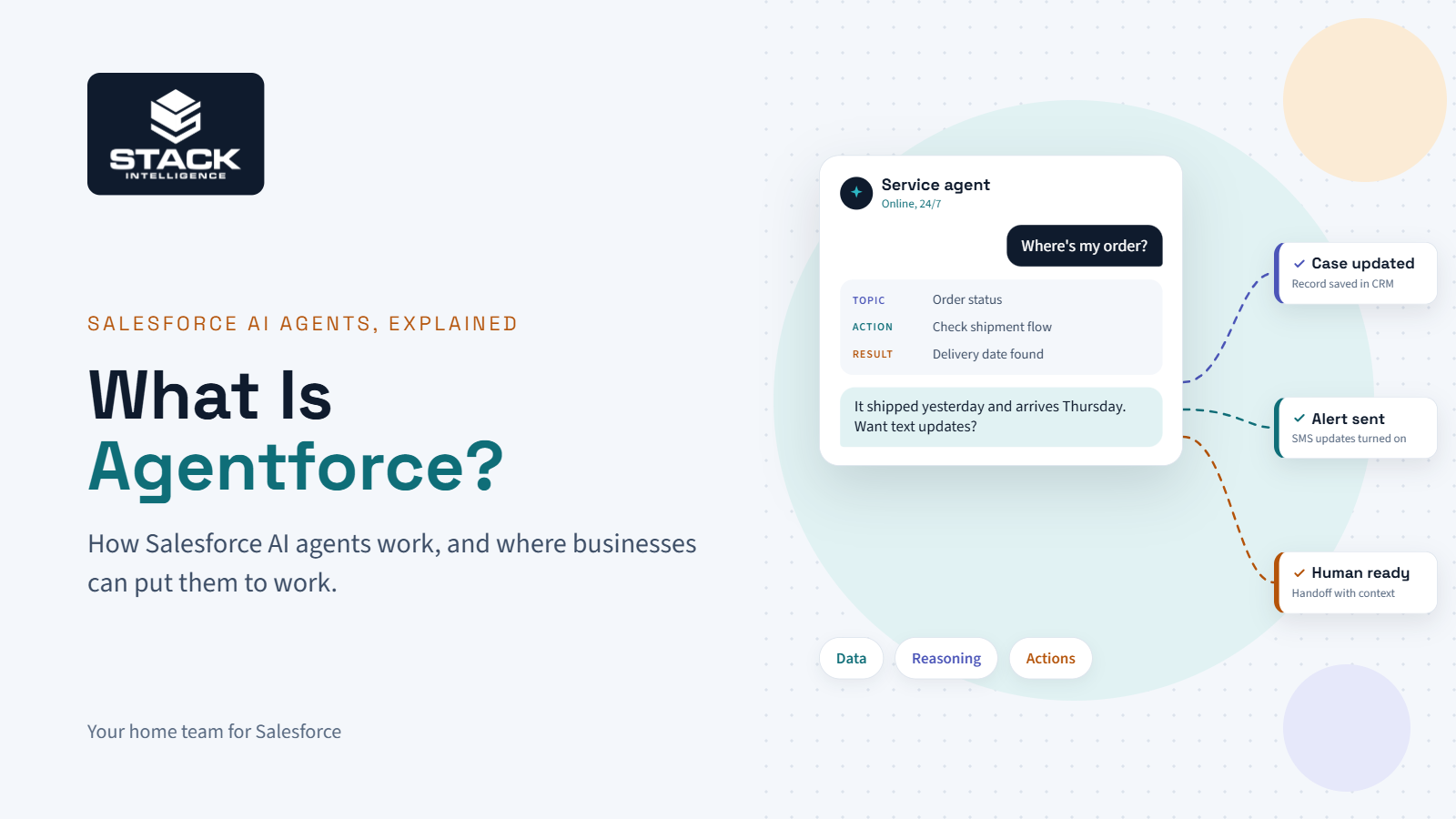
Salesforce puts it simply on its How Agentforce Works page: agents need data, reasoning, and actions. We’ll take them one at a time, using a customer who asks “Where’s my order?” as the example.
1. Data: what the agent knows
The agent reads from your CRM records, your help articles, and other connected systems. Salesforce’s data layer, Data 360, lets agents use outside data in real time without copying it in first. In our example, the agent pulls up the customer’s order and the shipping status.
This is also where most agents succeed or fail. If the order data is wrong, the agent will be confidently wrong.
2. Reasoning: how the agent decides
The thinking part is the Atlas Reasoning Engine. Trailhead calls it the brain behind Agentforce. It works in a loop: reason, act, look at the result, then decide what to do next.
Every request first gets matched to a topic. A topic is like a mini job description, such as “order status” or “returns.” It tells the agent which actions it may use and which rules apply. Our “Where’s my order?” question lands in the order status topic.
3. Actions: what the agent can do
Actions are the tasks you let the agent run. Salesforce says you can turn your existing flows, prompt templates, Apex code, and APIs into agent actions. So if your team already built a flow that checks shipping status, the agent can reuse it. In our example, it runs that flow and replies with a delivery date.
Where agents show up
Agents can work on your website, in WhatsApp and Messenger, in email and SMS, in Slack, and inside Salesforce itself. When a question needs a person, the agent can hand the chat to a human with the context attached.
How Salesforce keeps agents in line
You set the guardrails. Salesforce adds its own on top through the Einstein Trust Layer, which covers things like zero data retention and toxicity detection. Agents also show their reasoning, so admins can see why an agent did something. Before launch, you can generate test cases in the builder and check how the agent responds.
How is Agentforce different from a chatbot or Einstein Copilot?
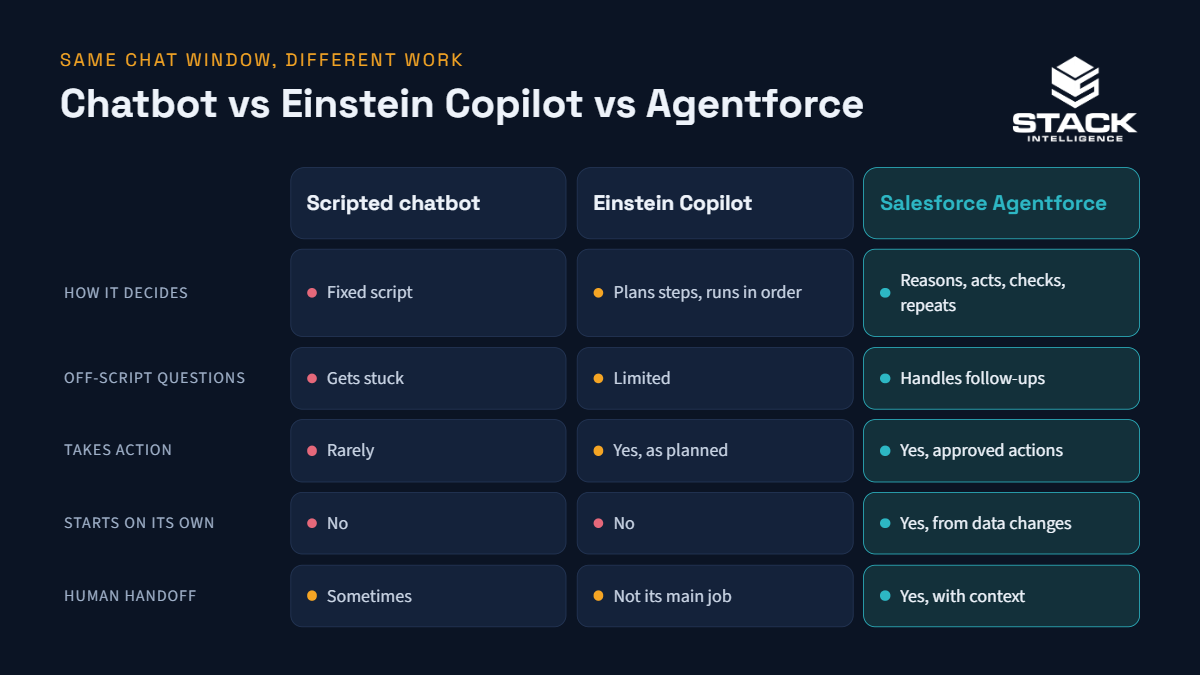
People mix these up all the time, and it’s easy to see why. They all sit in a chat window. They just do very different amounts of work.
An old-school chatbot follows a script. You map every question and every answer ahead of time. If a customer goes off script, the bot gets stuck and offers a menu.
Einstein Copilot was Salesforce’s earlier AI assistant. Salesforce’s own Atlas write-up explains its limits: it built a plan and ran the steps one by one, and it struggled with follow-up questions. Copilot later grew into the Agentforce agent for CRM.
Agentforce agents reason through the request, pick the right topic, use the actions they’re allowed to use, and check the result as they go. They can also start work on their own when data changes, without anyone typing a question.
| Scripted chatbot | Einstein Copilot | Salesforce Agentforce | |
|---|---|---|---|
| How it decides | Fixed script | Plans steps, then runs them in order | Reasons, acts, checks, repeats |
| Off-script questions | Gets stuck | Limited | Handles follow-ups |
| Takes action | Rarely | Yes, as planned | Yes, using approved actions |
| Can start on its own | No | No | Yes, from data changes |
| Hands off to a human | Sometimes | Not its main job | Yes, with context |
Where can businesses use Agentforce?
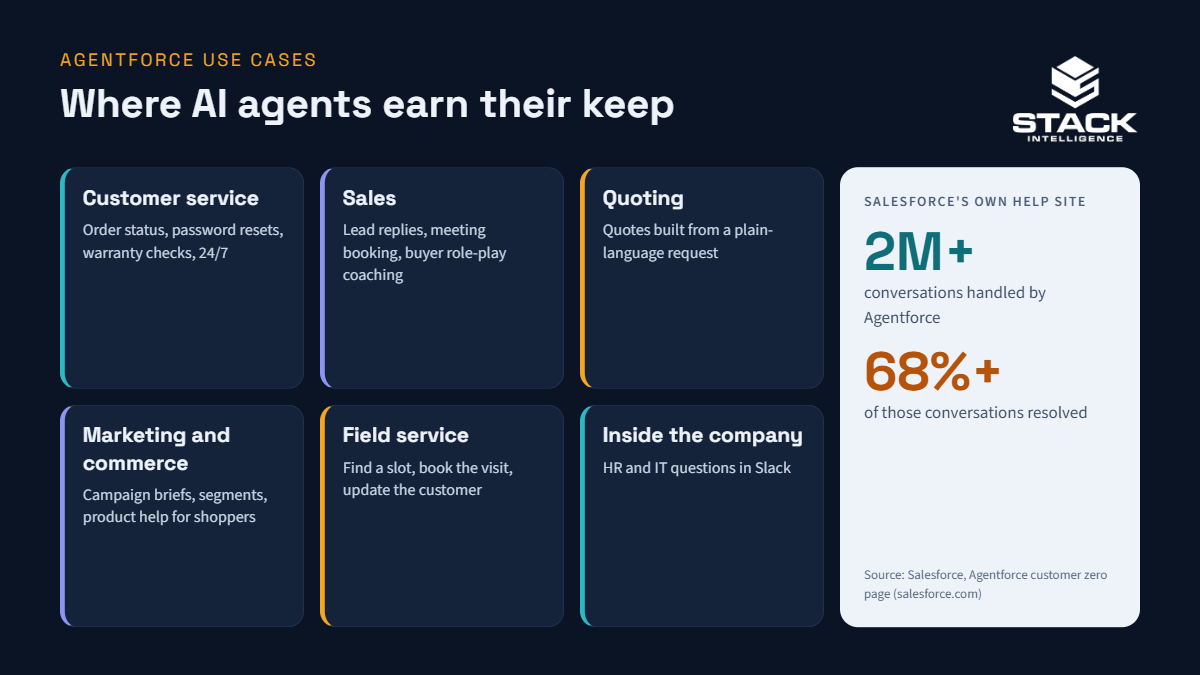
The best first use case is boring on purpose. Pick something that happens a lot, follows clear rules, and already has good data behind it. Here’s where we see Agentforce earn its keep, team by team.
Customer service
This is the most common starting point. A service agent answers questions like order status, password resets, or warranty checks, around the clock. When it can’t help, it passes the chat to a person with the history attached.
Salesforce runs one on its own help site. Its customer zero page says Agentforce has handled more than two million conversations there and resolves more than 68% of them. If you’re on Service Cloud, this is usually the easiest win.
Sales
A sales agent can reply to inbound leads, answer product questions, book meetings, and nudge cold leads back to life. Another type coaches reps by role-playing a tough buyer before a big call. Teams on Sales Cloud can start without new data plumbing.
Quoting is a strong use case too. Salesforce says its own sales team cut quoting time by 75% with Agentforce built into Revenue Cloud. Our Revenue Cloud team sets that up.
Marketing and commerce
Agents can help marketers draft campaign briefs and build audience segments. On the store side, a shopping agent can recommend products and answer “Will this fit?” style questions. This fits teams on Marketing Cloud or Commerce Cloud.
Field service
Scheduling is a good match. An agent can find an open slot, book the visit, and tell the customer when the technician will arrive.
Inside the company
Agents don’t have to face customers. Many teams start with an employee agent that answers HR policy or IT setup questions in Slack. Mistakes stay in-house while you learn.
By industry
The pattern is the same everywhere, but the jobs change. A few we see often:
- Healthcare: appointment booking and reminders
- Financial services: account questions and document requests
- Retail: order tracking, returns and product help
- Manufacturing: parts lookups, warranty claims and quotes
- Real estate: lead replies and showing bookings
- Education: admissions and enrollment questions
How much does Salesforce Agentforce cost?
There isn’t one price. Salesforce sells Agentforce a few different ways, and the right one depends on who the agent talks to and how often. These are the list prices on Salesforce’s Agentforce pricing page.
| Option | List price | Best for |
|---|---|---|
| Flex Credits | $500 per 100,000 credits. A standard action uses 20 credits, so about $0.10 | Most new setups, any kind of agent |
| Conversations | $2 per conversation | Customer-facing agents where you want a flat rate |
| Agentforce User License | $5 per user per month, plus Flex Credits | Giving more people access to agents |
| Agentforce add-ons (Sales, Service, Field Service) | $125 per user per month | Teams that use agents all day, with no metering |
| Agentforce Industries add-ons | $150 per user per month | Industry clouds |
| Agentforce 1 Editions | From $550 per user per month | Everything bundled, plus 2.5 million Flex Credits per org each year |
What does an action cost in real life?
Salesforce gives a few examples. A customer checking order status takes two actions, so about $0.20. A service case that needs three actions costs about $0.30. Scheduling a field service visit takes five actions, so about $0.50.
A few things to know before you buy
You can’t mix Flex Credits and Conversations in the same org, so pick one. Unused Flex Credits don’t roll over to the next term. If you go over, there’s no penalty. You pay the extra at your contract rate. And if you’re on Salesforce Foundations, Salesforce lists $0 access to get started.
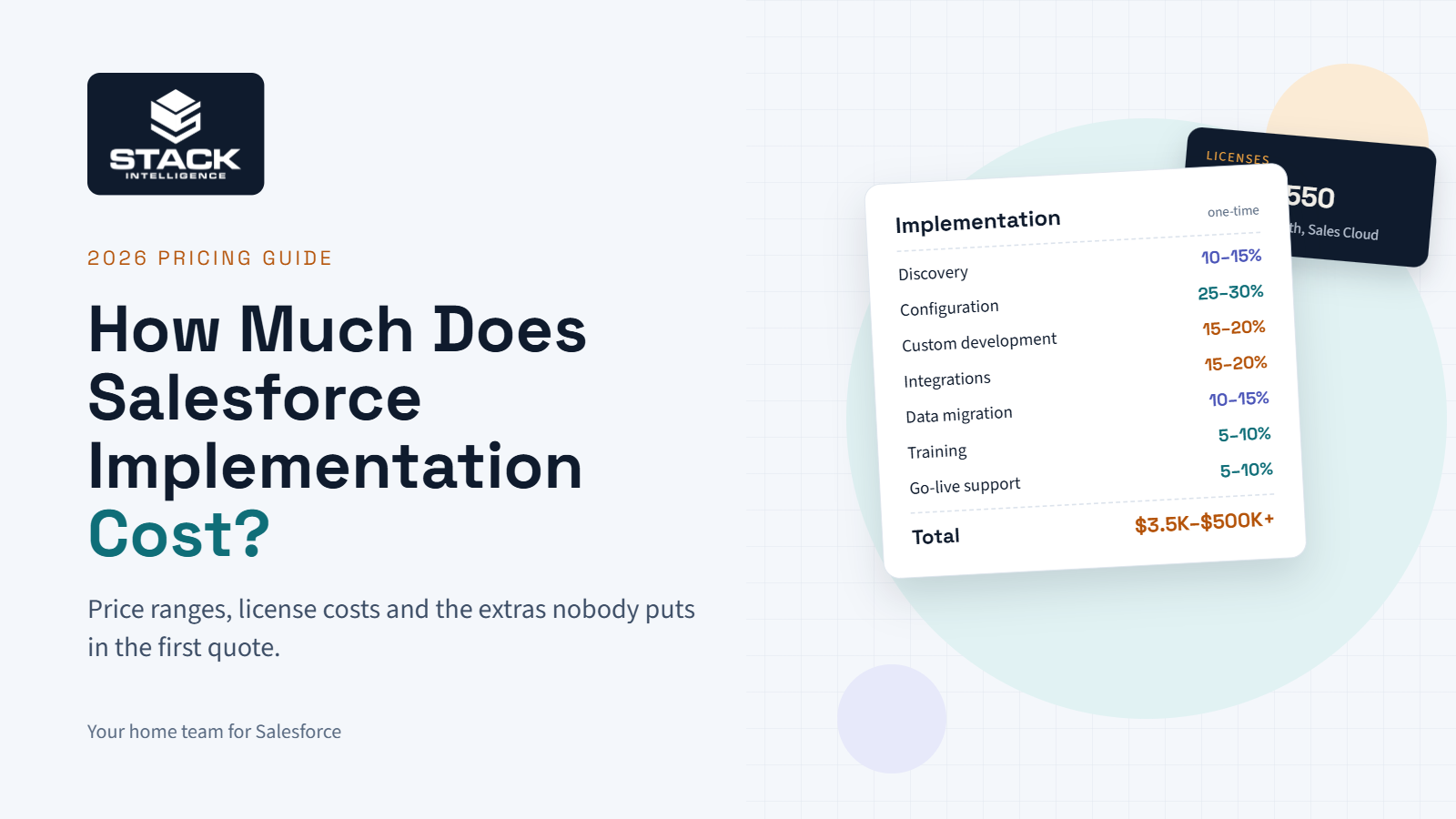
Licenses are one part of the bill. Setup, data cleanup and testing are the other part. Our Salesforce implementation cost guide explains how to plan for that.
How do you get started with Agentforce?
You don’t need a big AI strategy deck to start. You need one good use case and clean data behind it. This is the order we usually follow with clients.
1. Pick one job
Choose a task that happens often and has clear rules. “Answer order status questions” is a great first job. “Handle all of customer service” is not.
2. Check the data
Look at the records and help articles the agent will lean on. Are they current? Do they agree with each other? Fix that first. An agent can only be as right as the data it reads.
3. Build the topics and actions
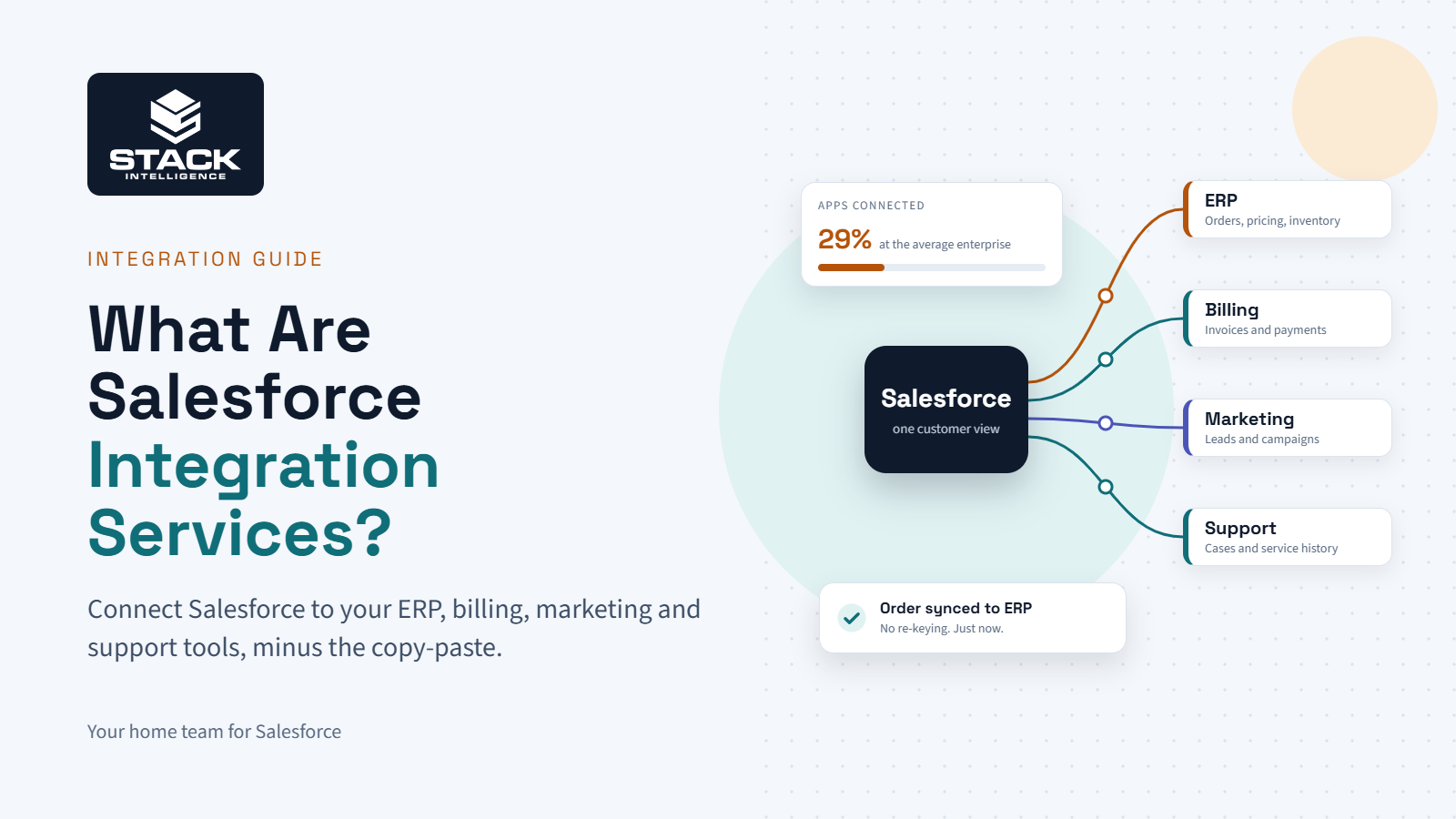
Write the instructions in plain language. Then connect the actions, often flows your team already has. If the agent needs data from an ERP or another system, plan that link early. Our Salesforce integration services team handles that part.
4. Test like a skeptic
Use the builder’s test tools. Then try to break the agent with odd questions, typos, and off-topic requests. Salesforce saw plenty of strange ones on its own help site, from cooking questions to people asking for answers in hip-hop lyrics.
5. Launch small and watch
Start with one channel or a slice of traffic. Read the conversations every week. Look at where people asked for a human, then fix those gaps.
What mistakes should you avoid?
The biggest one is starting too wide. An agent with 20 topics on day one is hard to test and harder to trust.
Another is skipping the human handoff. Customers forgive an agent that says “let me get someone.” They don’t forgive one that goes in circles.
Teams also forget to budget for usage. Every action costs Flex Credits, so a chatty agent on a busy site adds up. Watch usage in the first month.
And finally, treating launch as the finish line. Agents need tuning as your products, prices, and policies change. If you don’t have the time in-house, our Salesforce managed services team can keep them in shape.
How does Stack help with Salesforce Agentforce?
Stack Intelligence is a Salesforce team in Beachwood, Ohio. We’re hometown friends who’ve played on the same team since Little League, and these days a lot of our plays involve AI agents.
We help you pick the first use case, clean the data it needs, build and test the agent, then tune it after launch. Our Agentforce and AI automation page shows how we work. For a wider Salesforce rollout, see our implementation services and consulting services. Results from past projects are in our case studies.
Book a 25-minute working session. Bring the one task you wish your team never had to do again, and we’ll tell you if an agent can take it.
Keep exploring
Curious how agents fit into quoting? Read What Is Salesforce Revenue Cloud? and our take on Salesforce Revenue Cloud vs CPQ.
Want agents working outside the Salesforce screen? See Salesforce Headless 360 and our guide to MuleSoft vs APIs vs Salesforce Connect.
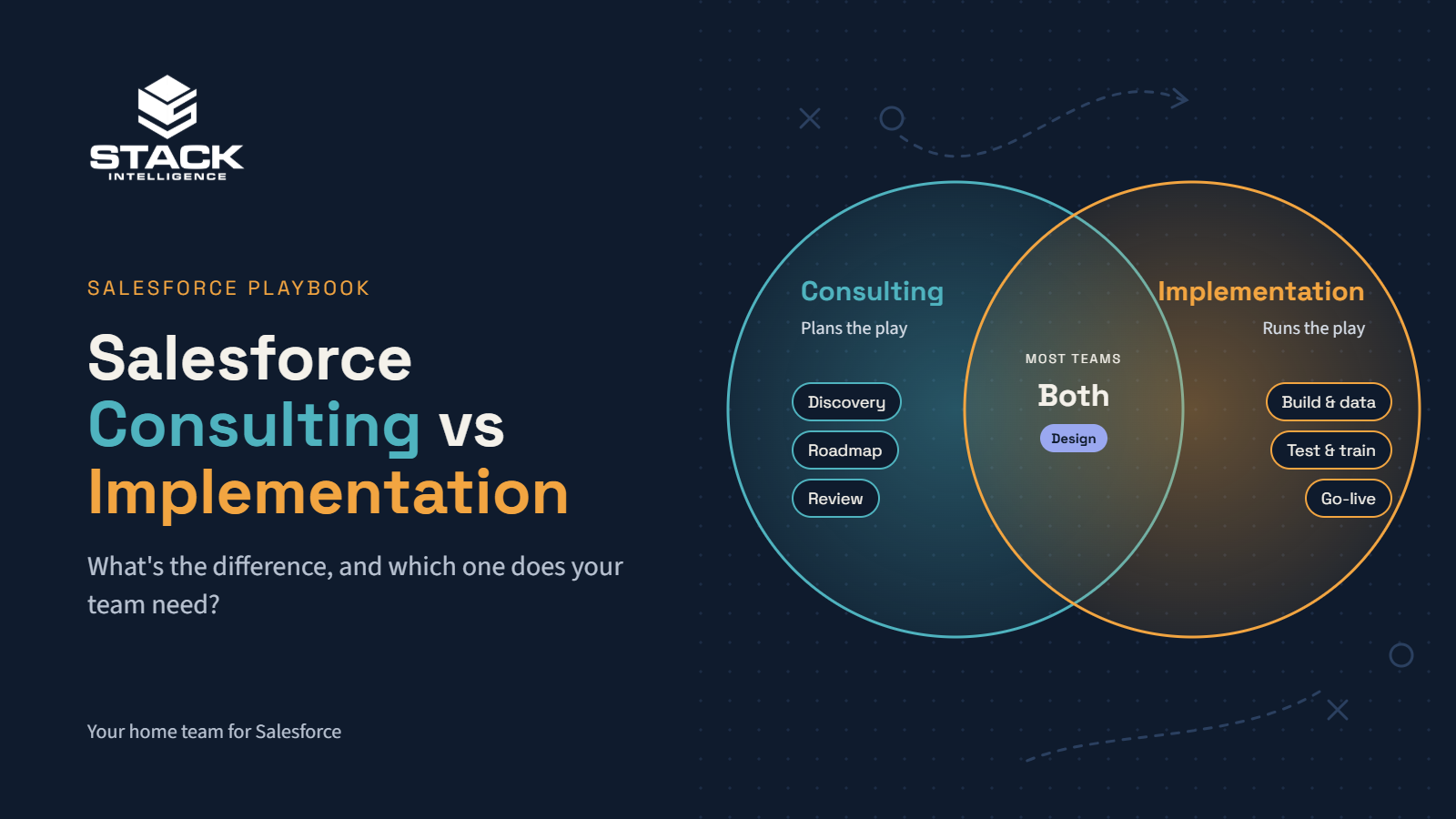
Choosing who to work with? Start with how to choose a Salesforce implementation partner and Salesforce consulting vs implementation.
We share Agentforce tips and client wins on LinkedIn.