What does Salesforce integration actually involve?
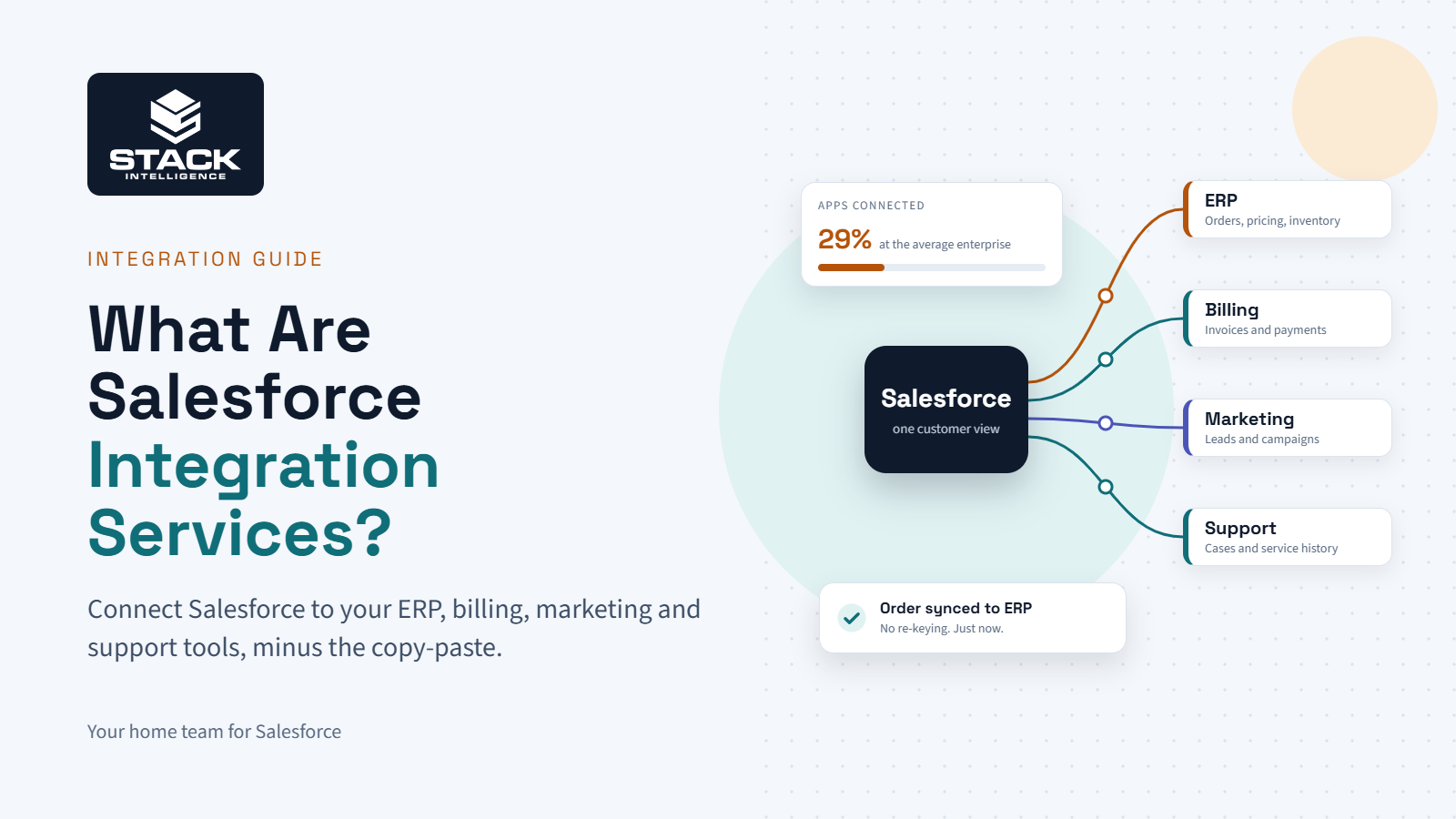
Salesforce integration means getting Salesforce to share data with the other systems you run on, whether that’s an ERP, a billing tool, a warehouse, or a Shopify store. When it works, nobody’s retyping orders or emailing finance to ask if an invoice went out.
Deciding to integrate is usually the easy bit. Figuring out how is where teams get stuck, because on paper MuleSoft, the Salesforce APIs, and Salesforce Connect all seem to promise roughly the same thing. In practice, they solve pretty different problems.
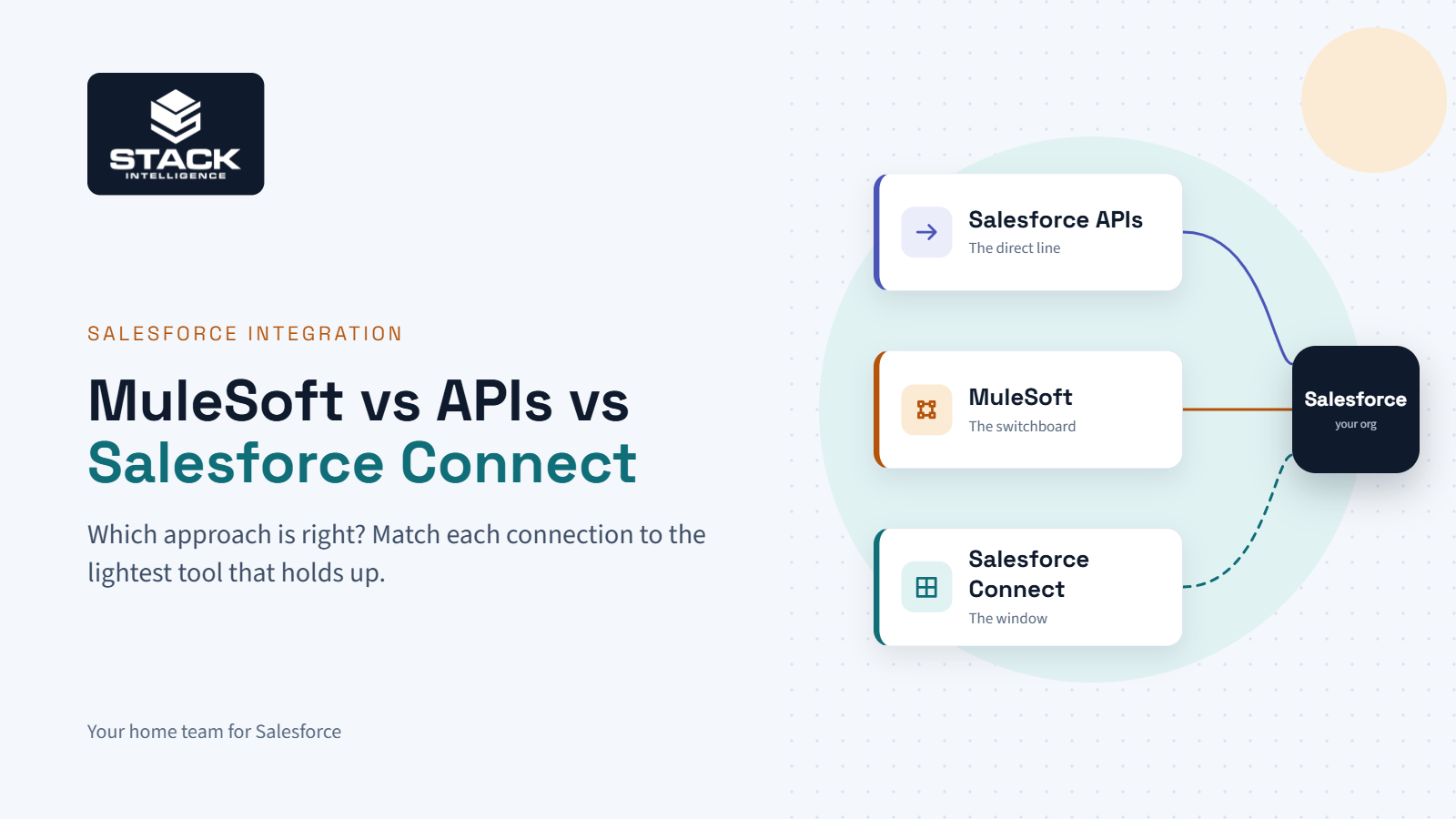
The way we usually explain it to clients: the APIs are a direct line between Salesforce and one other system. MuleSoft is more like a switchboard that every system plugs into once. Salesforce Connect is a window, so you can see what’s in the other system from inside Salesforce, but nothing actually gets moved.
Worth keeping in mind before you pick: MuleSoft’s 2025 Connectivity Benchmark Report puts the average enterprise at 897 apps, with just 29% of them integrated. So the decision usually isn’t about one connection. It’s about the next ten, even if nobody has said that out loud yet.
What are Salesforce APIs, and when should you use them?
Every Salesforce org with API access comes with a set of APIs built in. Other systems use them to create, read, update, or delete records in Salesforce, or to get notified when something changes. You don’t buy anything extra to use them.
There are a handful, and they’re good at different things. REST is what most developers reach for first, since it’s light and works well for web and mobile apps. SOAP is the older, stricter one, and you’ll still run into it with a lot of legacy enterprise software. If you’re moving a few hundred thousand records, say during a migration or a nightly product load, that’s a job for the Bulk API. Pub/Sub streams events in real time so other systems can react straight away, and GraphQL lets an app grab only the fields it needs in a single call.
When do Salesforce APIs make sense?
They’re a good choice when you’ve got one or two systems to connect, the job is clearly defined, and there’s a developer (in-house or a partner) to build it and keep it running. A customer portal that pulls account details from Salesforce is a typical example. A nightly catalog load from the ERP over the Bulk API is another.
What are the downsides?
The big one is that each connection is a separate build. Two of them are fine. By the time you’ve got eight or nine point-to-point connections, each with its own error handling and its own quirks, it gets hard to keep track of what talks to what.
API limits are the other thing people forget about until it’s too late. Every org has a daily allowance of API calls, and a badly designed sync can use it up by lunchtime. Anything high-volume should be built on the Bulk API or events, not thousands of one-record calls.
Security sits with you too. Somebody needs to set up the integration user, lock down its permissions, store credentials properly with Named Credentials, and then actually keep an eye on all of it.
What is MuleSoft, and when should you use it?
MuleSoft is Salesforce’s own integration platform (the product is called Anypoint Platform). The idea is simple enough. Rather than wiring every system straight into every other system, each one gets connected to MuleSoft once, and you build reusable APIs on top of those connections.
Salesforce calls this API-led connectivity and splits the APIs into three layers. System APIs sit closest to your core systems, things like the ERP or a database, and hide how messy those systems are underneath. Process APIs handle the business logic, for example, pulling customer data together from two places. Experience APIs then shape that data for whoever’s using it, like a mobile app or a partner portal.
In real life, it plays out something like this. You build one system API for order data in your ERP, and the Salesforce sync uses it. A few months later, the customer portal needs order data, so it uses the same API. Then the new analytics tool does too. Nobody has to rebuild the ERP connection three times over.
According to Salesforce, MuleSoft customers say they deliver projects three to five times faster this way than with homegrown integrations. That’s a number the company reports about itself, so take it as a rough guide rather than a promise, but the reasoning behind it is sound.
When does MuleSoft make sense?
It starts to pay off once you’ve got several systems to connect, or you know more are on the way, or the data needs a lot of transforming as it moves. It also helps when different teams have each built their own connection to the same system, and nobody has a clear picture anymore.
Complex quote-to-cash setups are a good example, where orders, pricing, and invoices have to move cleanly between Salesforce, the ERP, and a billing system.
What are the downsides?
It’s a full platform, with its own licensing, its own skills, and a learning curve to match. For a single straightforward connection, it’s more than you need, a bit like building a highway when you only wanted a driveway.
It also needs someone to own it. APIs, versions, and monitoring all need managing. Skip that, and you end up with the same tangle as before, just more expensive.
What is Salesforce Connect, and when should you use it?
Salesforce Connect lets your team see and work with data from another system inside Salesforce without importing it. It uses something called external objects. They look and act a lot like custom objects, but Salesforce’s documentation notes that the records actually live outside your org and get fetched when someone needs them. What you see is always what’s in the source system at that moment.
That’s really the appeal. There’s no nightly sync to babysit and no duplicate records, and nobody has to argue about which copy is up to date, because there’s only one.
It connects through a few different adapters. OData 2.0 and 4.0 work with systems that expose data over the OData protocol, which plenty of ERPs do. The cross-org adapter pulls data from another Salesforce org, which comes in handy after an acquisition or when business units run separate orgs. If none of those fit, developers can build a custom adapter with the Apex Connector Framework, for example, to talk to a REST API that doesn’t use OData.
When does Salesforce Connect make sense?
It works best when people mostly need to look at outside data rather than own it in Salesforce. Think of a rep checking ERP order history while on a call, a service agent looking up invoice status, or a manager glancing at stock levels. In each case, the data belongs to another system, and Salesforce just needs a way to show it.
It’s also useful when the data set is huge, but people only ever need a small piece of it. There’s not much sense in storing millions of rows in Salesforce if everyone only looks at a customer’s last twenty orders.
What are the downsides?
External objects don’t behave exactly like normal Salesforce records. Some features that work on custom objects won’t work on them, and because outside data doesn’t use Salesforce record IDs, lookups need special relationship types. Reporting and automation can be more limited too.
Speed also depends on the other system. If the ERP is slow to respond, the Salesforce page waits for it. And Salesforce Connect is a paid add-on, so it’s worth checking licensing before you build plans around it.
We think it’s one of the most underused tools in the platform. It’s pretty common to find teams that built a full two-way sync when a read-only view would have done the job.
MuleSoft vs APIs vs Salesforce Connect: how do they compare?
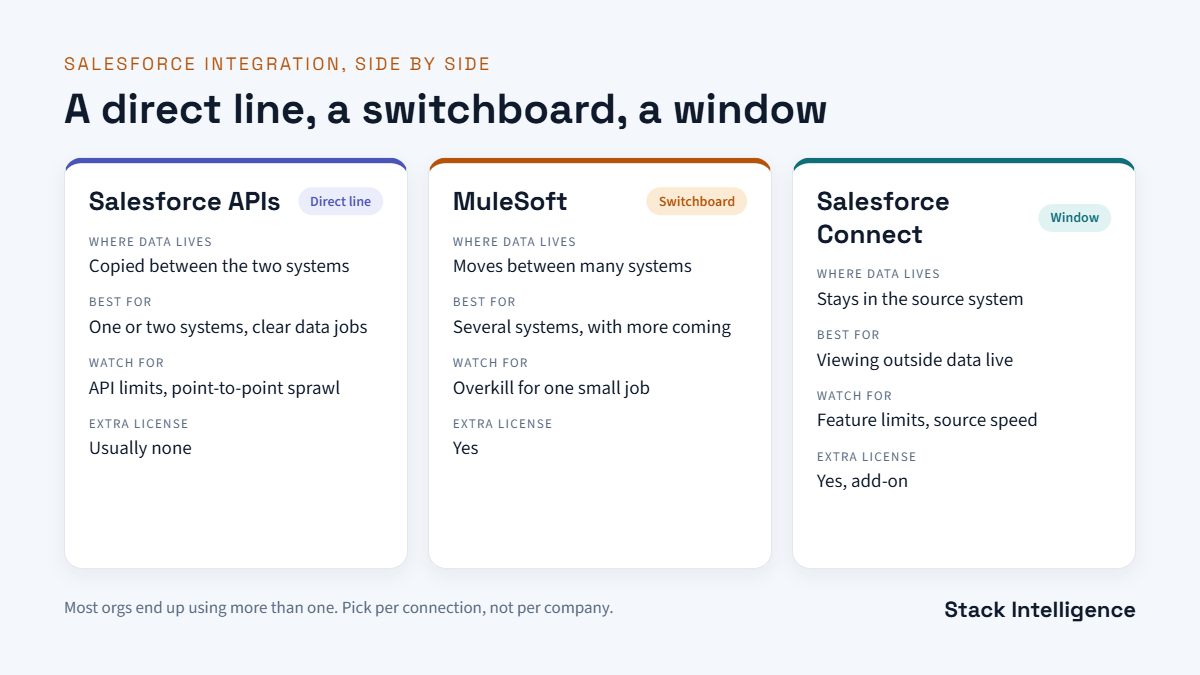
The table below is roughly how we’d sketch it on a whiteboard for a client.
| Salesforce APIs | MuleSoft | Salesforce Connect | |
|---|---|---|---|
| What it does | Lets systems read and write Salesforce data directly | Connects many systems through reusable APIs | Shows outside data in Salesforce without copying it |
| Where data lives | Copied into Salesforce | Moves between systems | Stays in the source system |
| Best for | One or two systems, specific data jobs | Many systems, more on the way | Viewing outside data in real time |
| Effort to start | Low to medium | Higher | Low |
| Ongoing upkeep | Grows with every connection | Centralized, but needs an owner | Light |
| Extra licensing | Usually none | Yes | Yes, add-on |
| Watch for | API limits, point-to-point sprawl | Overkill for small jobs | Feature limits, source system speed |
Which Salesforce integration approach is right for you?
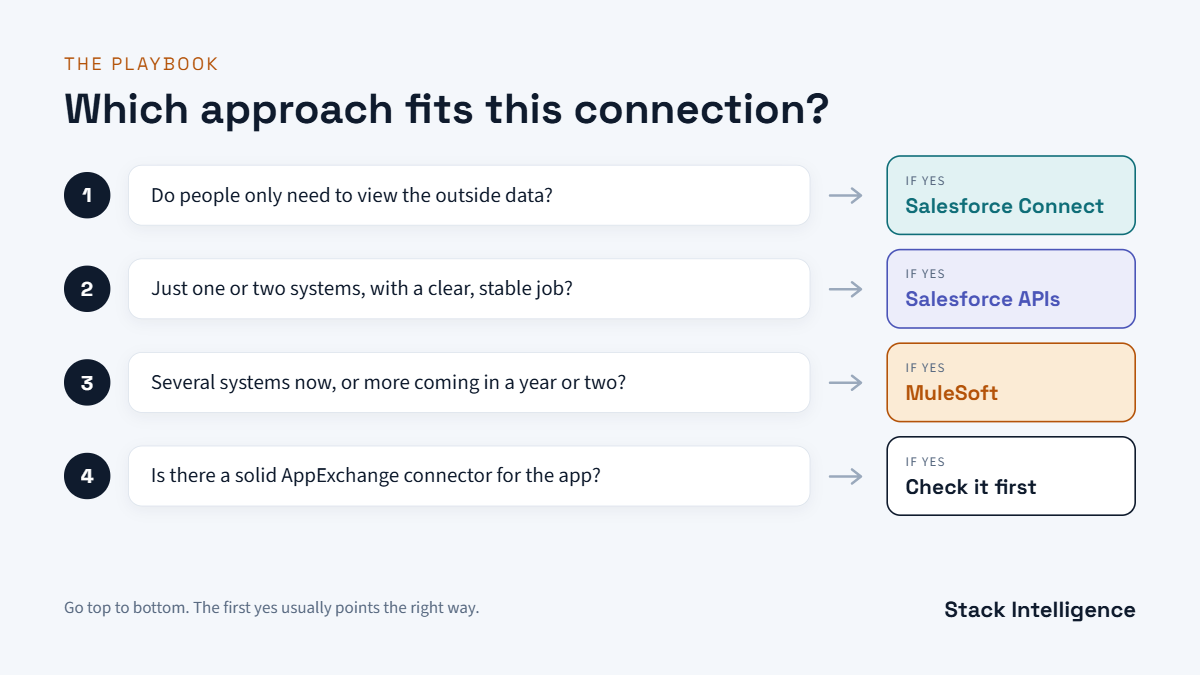
Go through these questions in order. The first one you answer yes to will usually point you in the right direction.
- Do people only need to view the outside data? Then start with Salesforce Connect. There’s no reason to copy data you don’t need to own.
- Are you connecting one or two systems, and is the job clear and fairly stable? Salesforce APIs will most likely cover it, especially with a well-set-up integration user and the Bulk API for anything high-volume.
- Are several systems involved, or will there be more in the next year or two? That’s where MuleSoft starts to earn its cost, because the reuse adds up quickly.
- Is there a decent AppExchange connector for the app? Check before building anything. It may get you most of the way there on day one.
Beyond those questions, a few practical things should shape the decision. Big data loads point toward the Bulk API or MuleSoft. If the data has to be live, Salesforce Connect or event-based APIs are the better bet. Think hard about skills, because a MuleSoft license with nobody to run it isn’t much use. And look at cost over three years, not three months, since the cheapest thing to build is often the most expensive thing to maintain.
Can you use more than one approach?
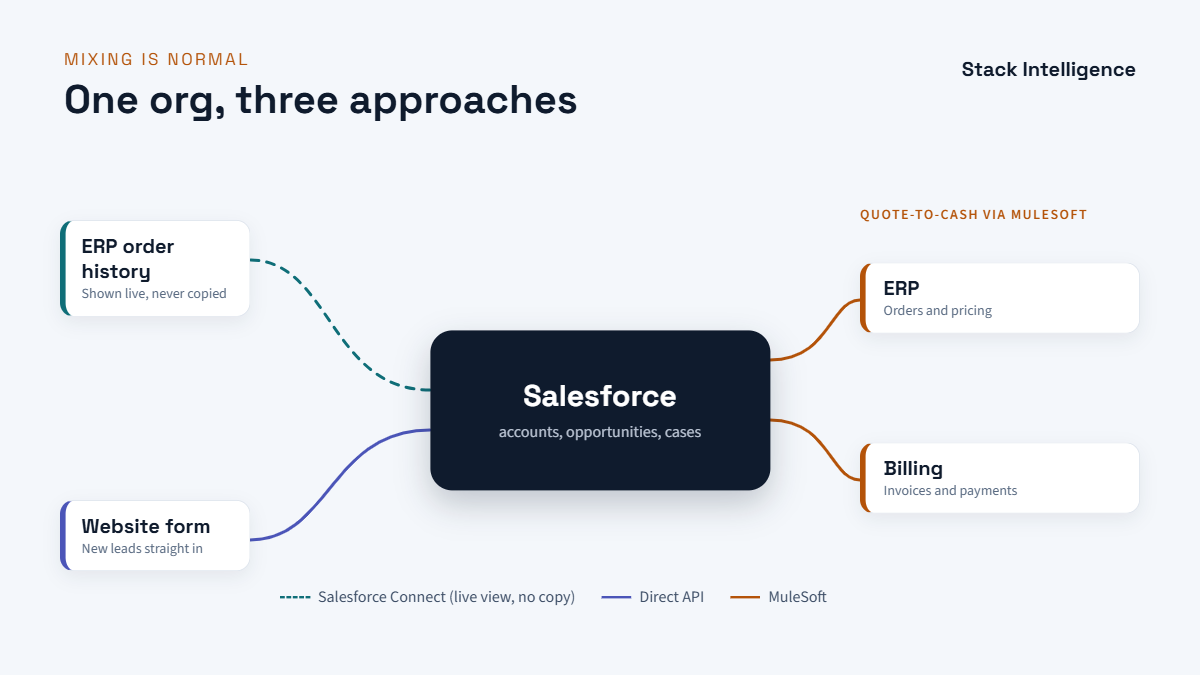
Yes, and most mature orgs do. It isn’t a single decision for the whole company. It’s a decision you make for each connection.
A fairly typical setup might look like this: Salesforce Connect shows ERP order history on the account page, MuleSoft runs the heavier quote-to-cash flow between Salesforce, the ERP, and billing, and a couple of direct API connections handle smaller jobs, like a website form that sends leads into Salesforce.
None of that is messy as long as it’s planned. It gets messy when each team picks its own tool, and nobody’s looking at the whole picture.
What mistakes should you avoid?
A few come up over and over.
The first is buying MuleSoft for a single connection. It’s a platform, and it pays off when you use it like one. Another is syncing data that people only ever look at, when Salesforce Connect would have been enough. Teams also tend to forget about API limits until a sync starts failing, so it’s worth designing high-volume jobs around the Bulk API or events from day one.
Skipping the data map causes trouble later too. Someone needs to decide which system owns which fields before any code gets written. Then there’s monitoring. A sync that fails quietly is worse than no sync, because people keep trusting the data. And remember that Salesforce ships three major releases a year, so retest after each one.
If some of these sound uncomfortably familiar, a Salesforce health check is a quick way to work out what to fix first.
How does Stack help you choose?
Stack Intelligence is a Salesforce team in Beachwood, Ohio. We’re a group of hometown friends who’ve been running plays together since Little League, and these days a lot of those plays are integration decisions just like this one.
We don’t come in with a favorite tool. We look at your systems, your data, and where your team is losing time, then match each connection to the lightest approach that will hold up. Sometimes that ends up being MuleSoft. Sometimes it’s a couple of API connections plus Salesforce Connect. And sometimes it’s an AppExchange connector, with a data cleanup first.
Our Salesforce integration services cover the full run of play, from data mapping through build, testing, monitoring, and retesting after each Salesforce release. If you’d rather not handle the day-to-day yourselves, our managed services team can keep things running.
The scoreboard isn’t hours billed. It’s fewer spreadsheets, fewer broken syncs, and data your team trusts. You can see some of the highlight reel in our case studies.
Book a 25-minute working session. Send over the list of systems you want connected, and we’ll tell you which approach makes sense for each one.
Keep exploring
New to the topic? Start with our guide to Salesforce integration services, then read about Salesforce Headless 360 and what it means for APIs and AI agents.
Picking a team for the work? See how to choose a Salesforce implementation partner and Salesforce consulting vs. implementation.
Want a second opinion on your setup? Book a working session, and we’ll map it out together.
We share Salesforce tips and client wins on LinkedIn.